
Chat with your data
Entropy Intelligence is experimental. Features and behavior may change in future releases.
Entropy Intelligence turns the data marketplace into a conversational experience. Users describe what they want to know, and Entropy Intelligence picks the right data product, generates the query, and returns the result — within their existing access rights.
Entropy Intelligence
Available from the main navigation via Try Entropy Intelligence. Users can find data products by describing a business question, explore data through natural language prompts, and get insights directly in the chat.
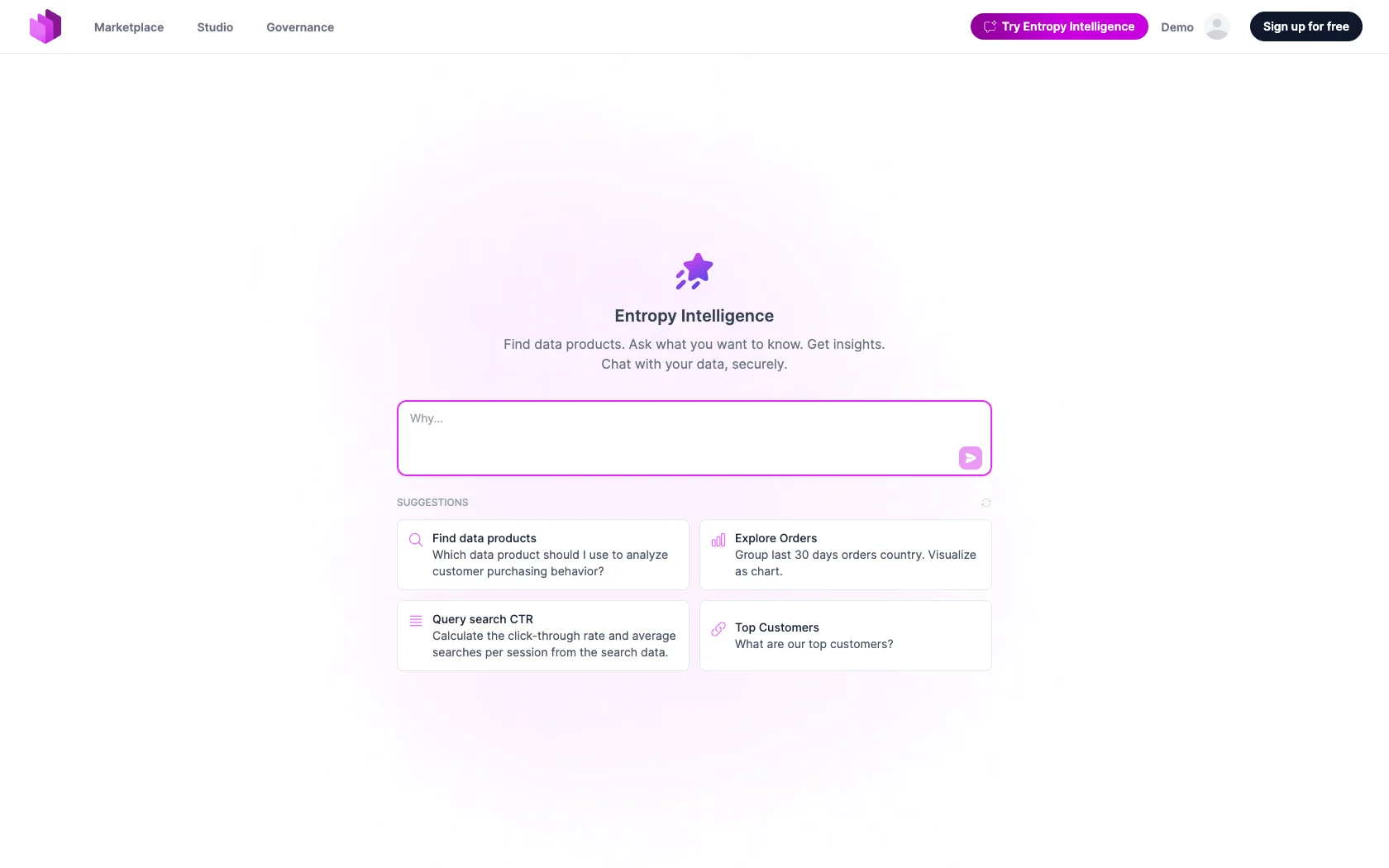
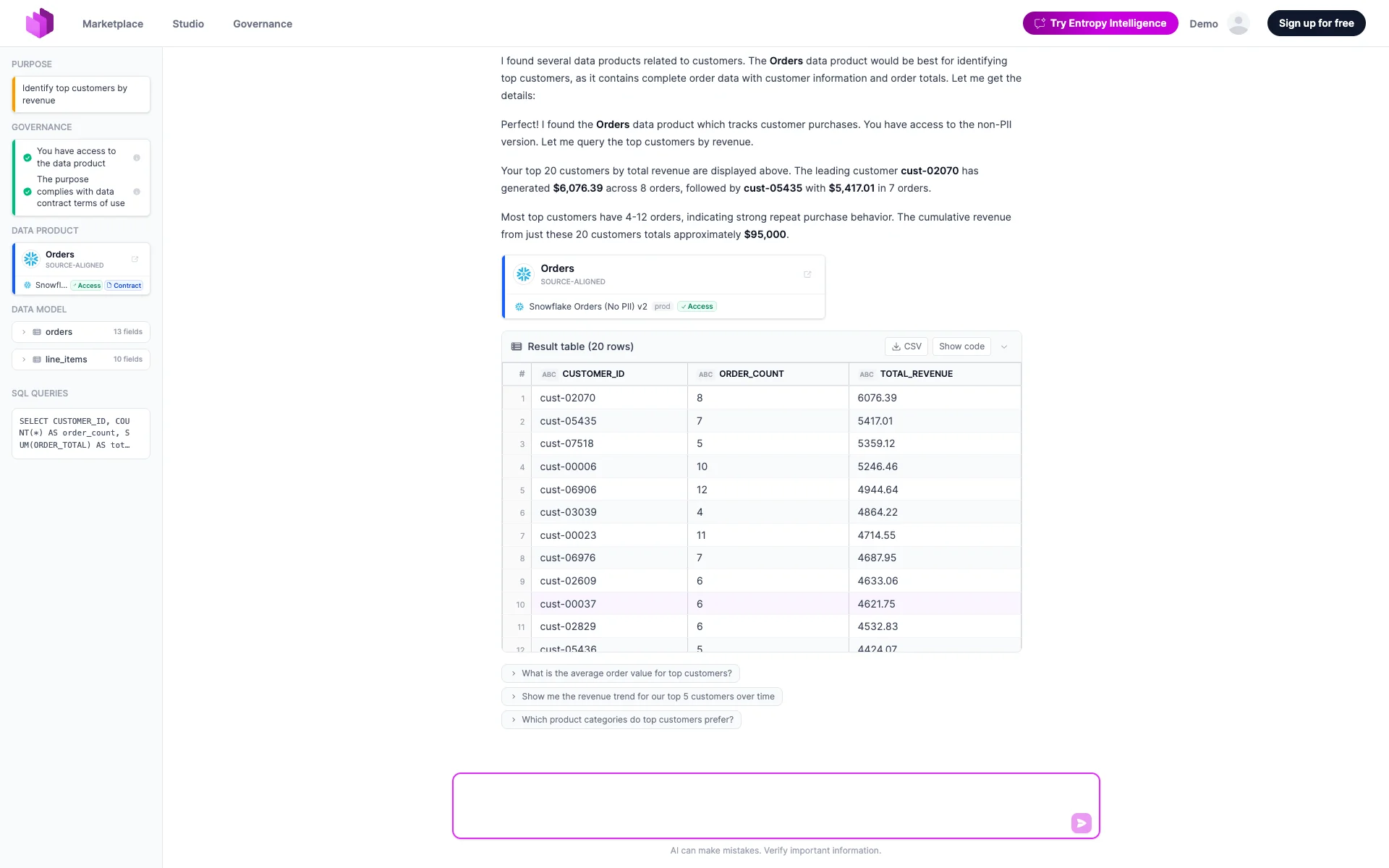
Each answer shows the data product and query alongside the result, so users can verify what happened.
Why this matters for enterprises
Entropy Intelligence lives directly inside Entropy Data — no separate Copilot, ChatGPT, or Claude workspace to license, configure, and connect to your data landscape.
- No additional agent environment to procure or operate.
- Governance is not an afterthought — the same access rights and data contract terms of use apply.
- No data leaves your governed perimeter — prompts and results stay within Entropy Data and the AI model you have already configured (see AI Configuration).
- Context is curated by data owners via AI Context on the data product itself — not via prompts scattered across unmanaged chatbots.
Enabling Entropy Intelligence
Entropy Intelligence is disabled by default and must be enabled per organization by an organization owner.
- Configure an AI model under Organization Settings → AI (see AI Configuration).
- Navigate to Organization Settings → Entropy Intelligence.
- Turn on Enable Entropy Intelligence to expose the in-app chat and make MCP tools available to external clients.
- Optionally turn on Allow data access (execute SQL) to let Intelligence and MCP clients run read-only SQL against output ports the user has access to. When off, only metadata tools (search, fetch, request access) are available.
Where provisioning grants access, "has access" means the grant has been reported as provisioned: an access that is approved but not yet provisioned fails the access check with "provisioning pending", and Intelligence tells the user to retry once the grant exists instead of offering to request access again.
Entropy Intelligence Card on the Data Product
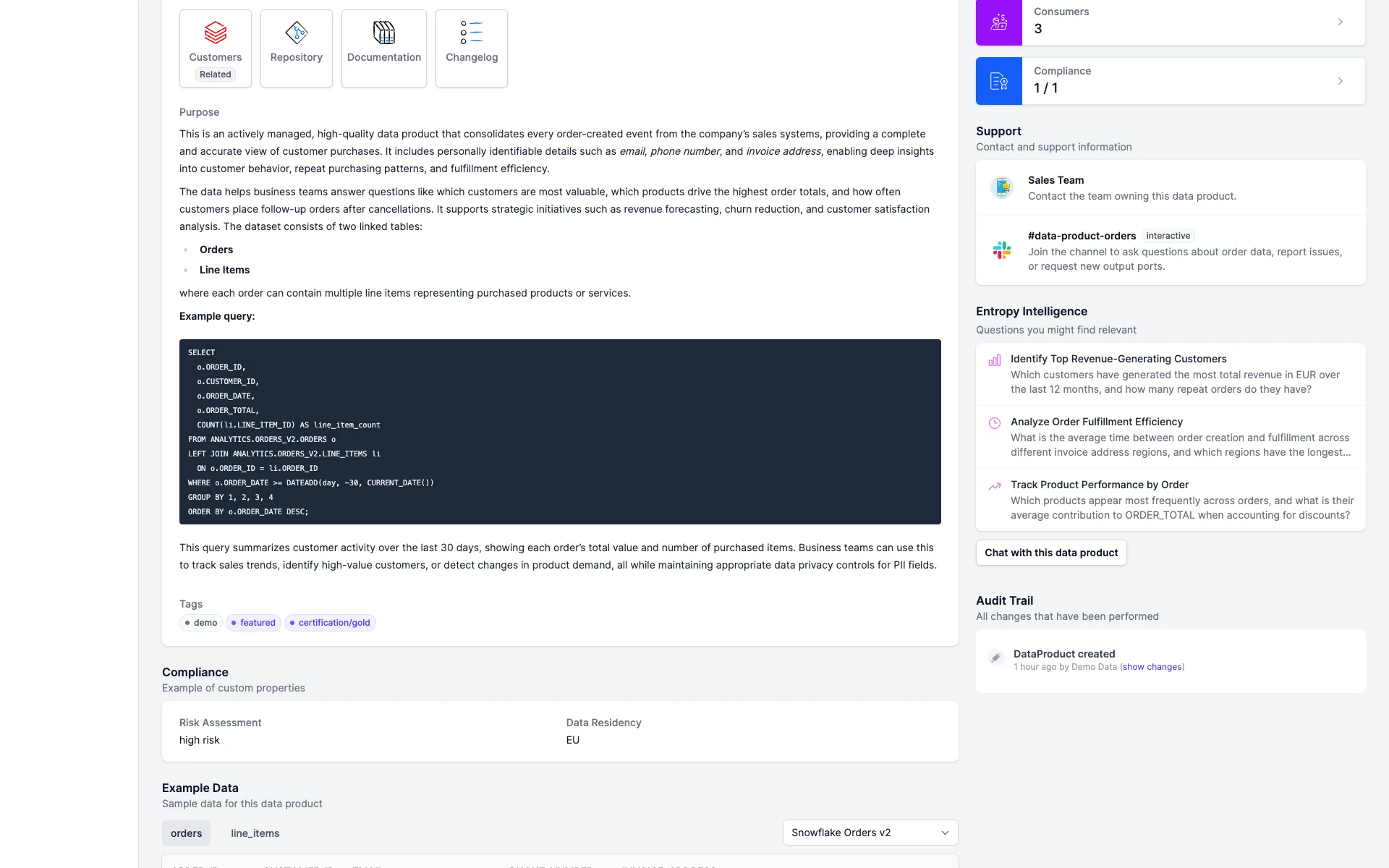
Each data product page shows an Entropy Intelligence card with suggested questions for that data product. Clicking a suggestion opens the chat with the question pre-filled and the data product set as context — a low-friction way to try the data before requesting access.
AI Context on the Data Product
Data product owners guide Entropy Intelligence via the AI Context section in the data product edit form.
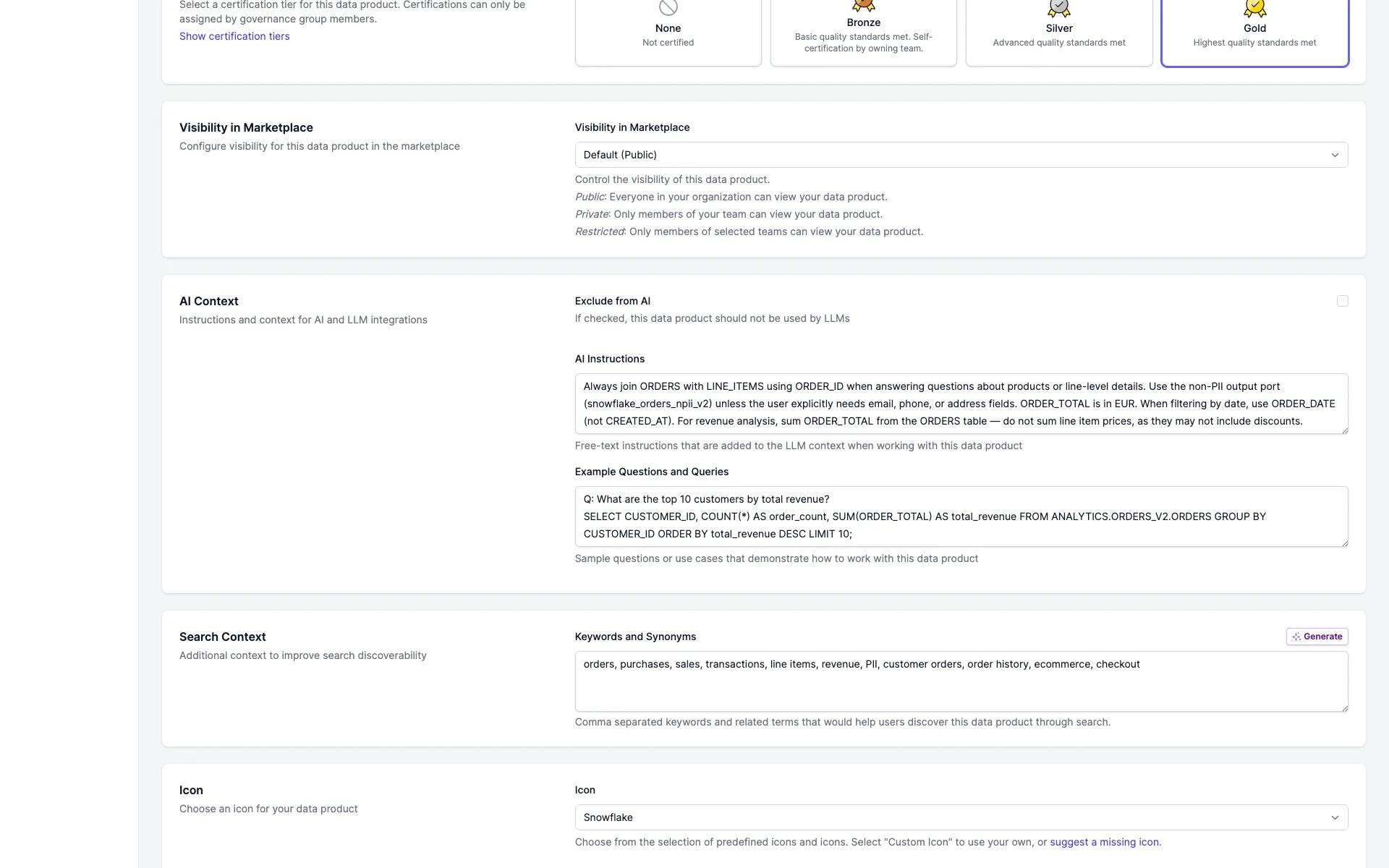
- AI Instructions — domain-specific rules, e.g. "Always join ORDERS with LINE_ITEMS using ORDER_ID" or "ORDER_TOTAL is in EUR". Added to the AI system prompt when a user interacts with this data product.
- Example Questions and Queries — sample questions with corresponding queries that demonstrate intended usage patterns.
- Exclude from AI — when enabled, the data product is excluded from Entropy Intelligence search results and recommendations.
AI Context is stored as custom properties in the ODPS YAML. See Data Products for the underlying attributes, and AI Configuration for the model that powers Entropy Intelligence.