
Set up Teams & Domains
Everything in Entropy Data — data products, data contracts, definitions, policies — is owned by a team. Before you create anything, decide how to structure ownership, then implement it in Governance.
Before you start
- You are an Organization Owner. Only Organization Owners can create domains and teams (Team Owners can later add subteams within their own team).
1. Choose a structure
Domains group ownership; teams are the smallest unit that actually owns resources. Pick the shape that matches how your company is organized:
| Structure | Good for | Watch out for |
|---|---|---|
| Flat — a handful of teams, no domains | Small orgs, pilots, a single business unit | Hard to navigate and govern once you pass ~10 teams. |
| Domain hierarchy — domains containing teams (and subdomains) | Mid-to-large orgs with clear business units | Don't model your org chart — model data domains. Keep it shallow; deep nesting is hard to browse. |
Guidelines that hold either way:
- Map domains to business capabilities (e.g. Sales, Logistics), not to reporting lines that change often.
- One team should be able to own and run its data products end-to-end.
- Add specialized teams only when you need them (see team types).
Roles are inherited down the hierarchy: a user who is Owner of a domain is Owner of every team within it. Structure with that in mind.
2. Create domains and teams
- Go to Studio → Teams to open the Domains & Teams page.
- Use Add Domain or Team to create a domain for each business capability (skip this for a flat structure).
- Add teams inside the relevant domain. A team needs a name and an ID; optionally set a parent domain and add a logo.
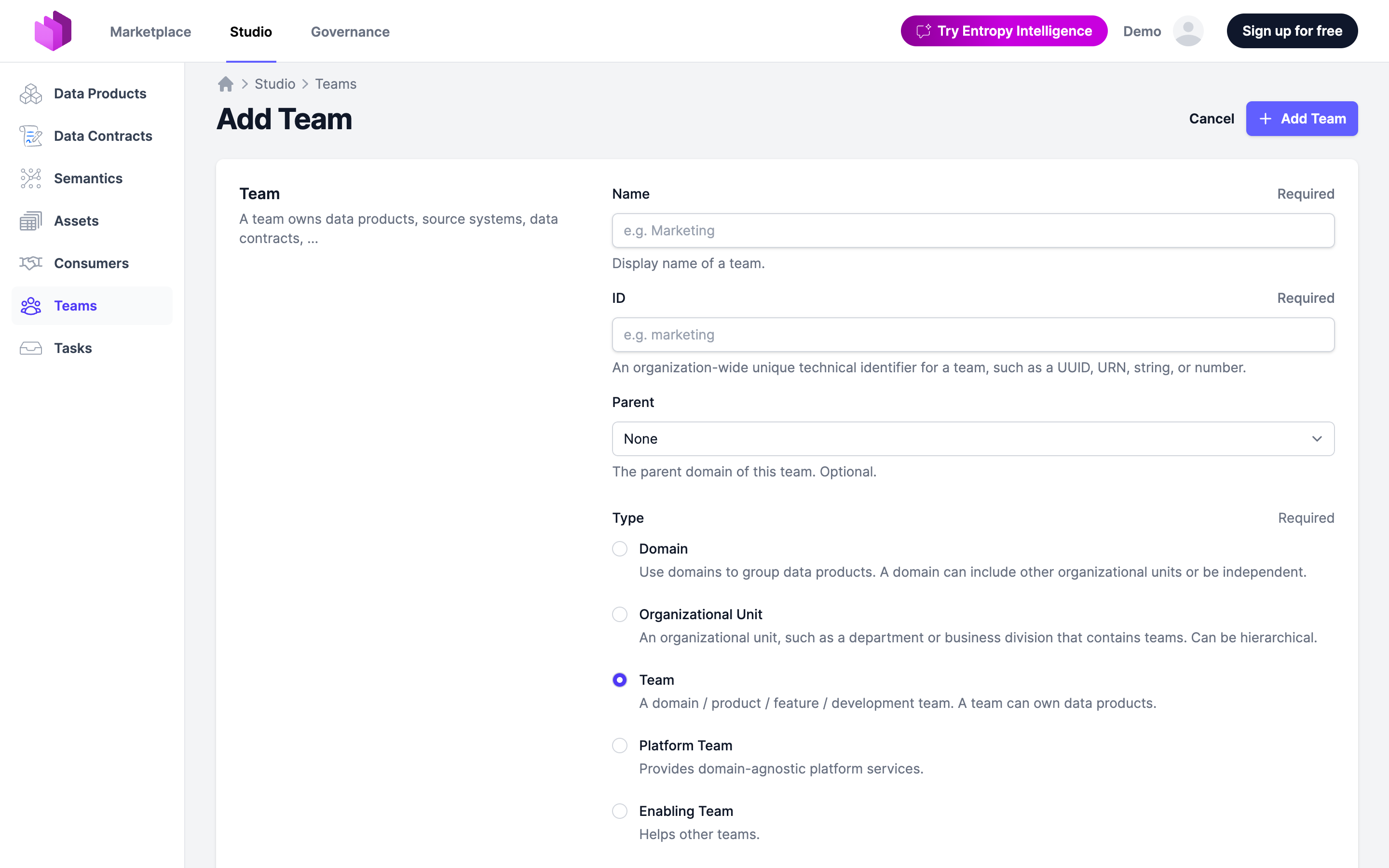
3. Pick the right team type
All teams share the same underlying entity, but the type signals its role:
- Domain — a business unit that contains teams and subdomains.
- Organizational Unit — a department or business division that contains teams; can be nested.
- Team — a group that owns and runs data products. Your default.
- Platform Team — owns the data platform infrastructure.
- Enabling Team — helps other teams build well-architected data products.
- Governance Group — owns global policies and manages certifications. Create one of these for your governance function.
4. Add members and assign roles
- Open a team and add members. A user must already be part of the organization (invite them, or provision automatically with SCIM).
- Give each member a team role — Owner, Approver, Editor, Member, or Steward — matching what they should be able to do.
For larger setups, automate this: provision users with SCIM, sign-in with SSO, and define custom roles if the defaults don't fit.