
Authentication
You'll need to authenticate your requests to access any of the endpoints in the Entropy Data API. Entropy Data uses API keys to authenticate requests.
Generate API key
Before you can make requests to the Entropy Data API, you will need to generate an API key for your organization. You can create up to 100 API keys per organization.
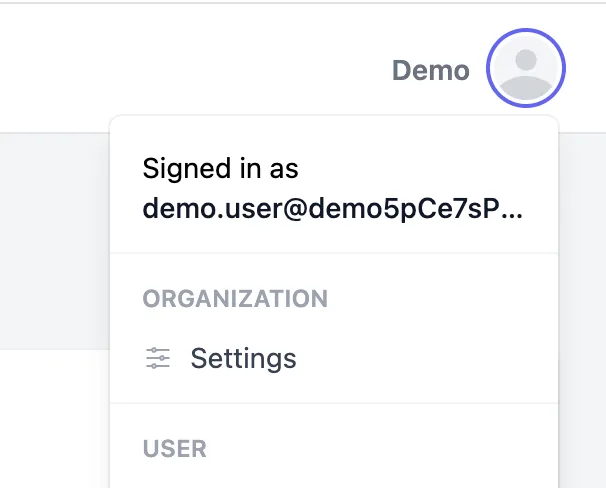
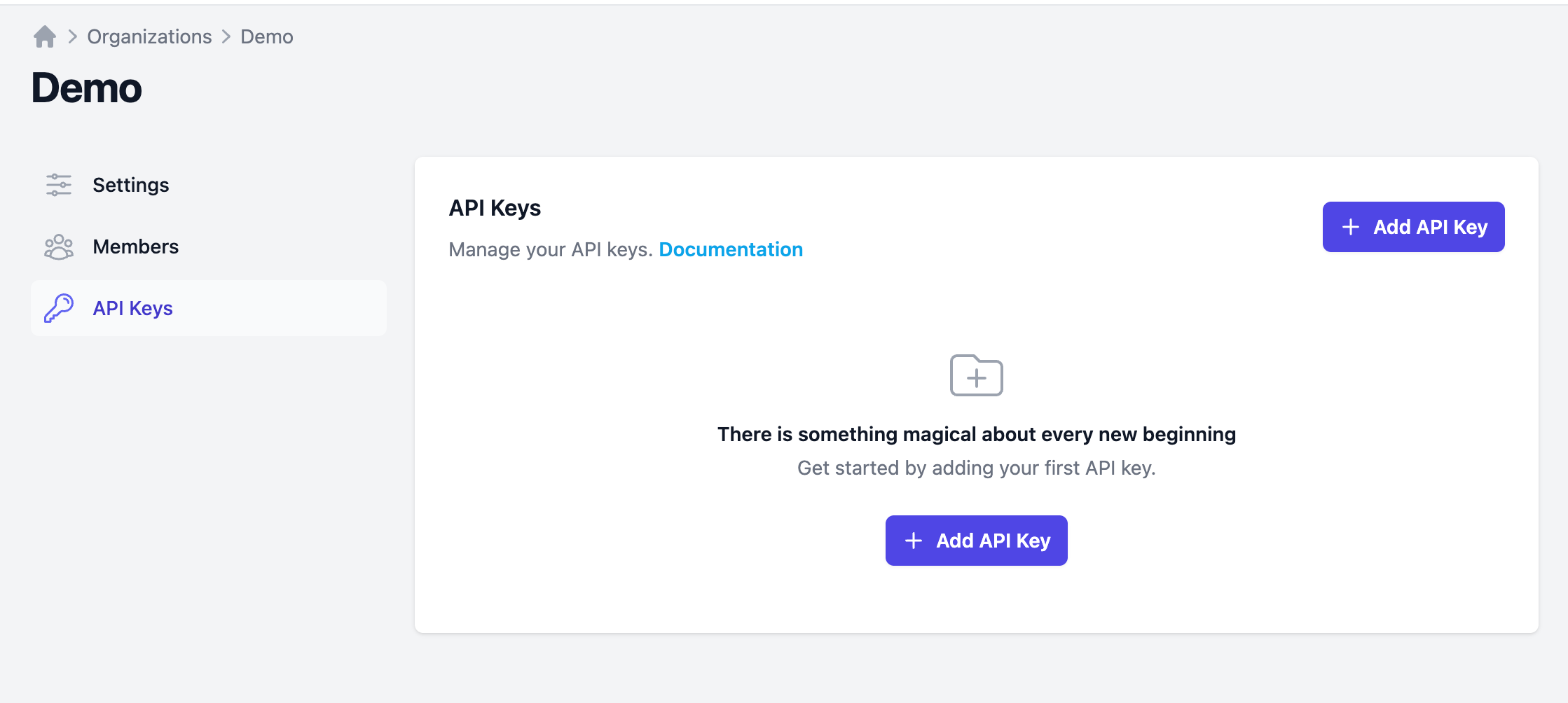
You find it under [Profile Picture » Organization » Settings » API Keys » Add API Key].
Add an API key:
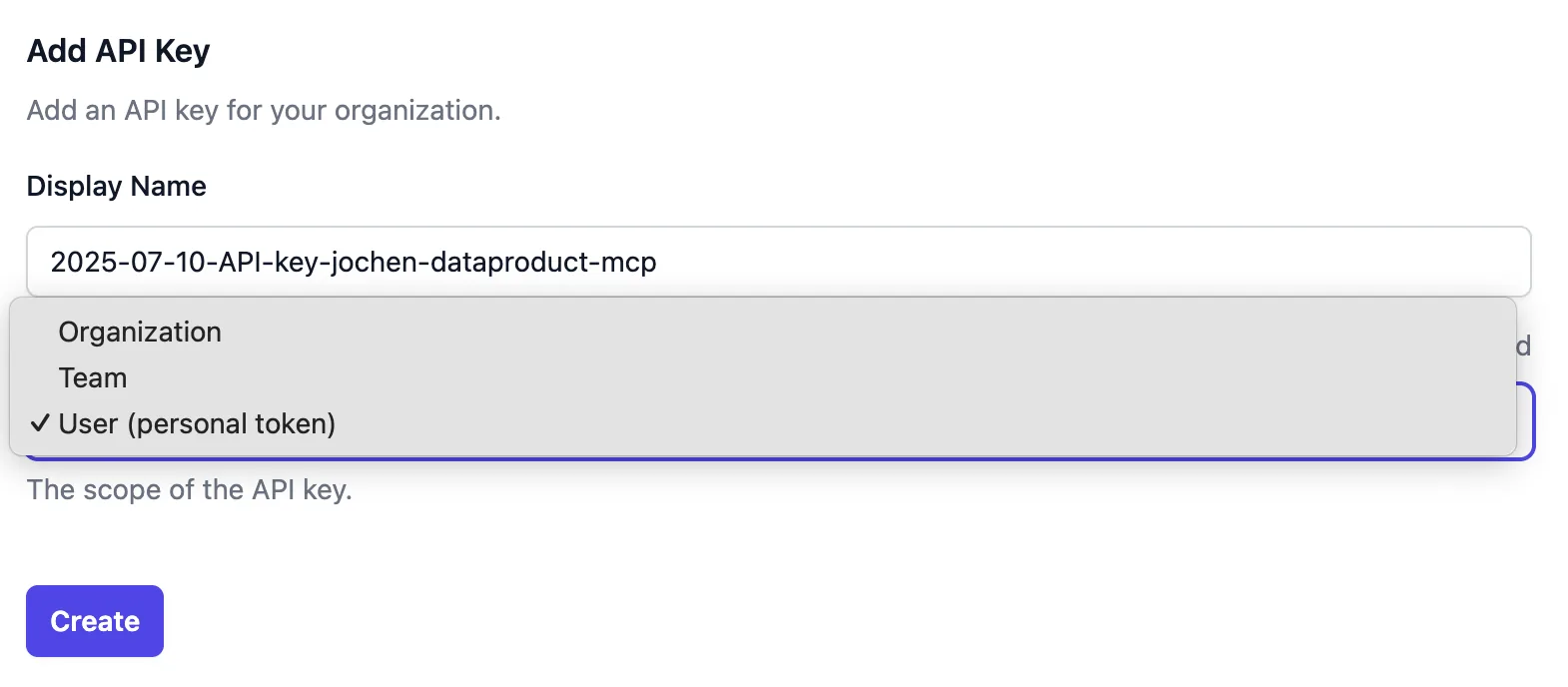
Set the scope of the API key to organization, team, or user (personal token), as required. Only organization owners can create organization-scoped API keys.
Then choose what the key may change under Permissions: All, Restricted, or Read only. See API Key Scopes and API Key Permissions.
Save the Secret API key, it will not be displayed later. However, you can create new API keys at any time.
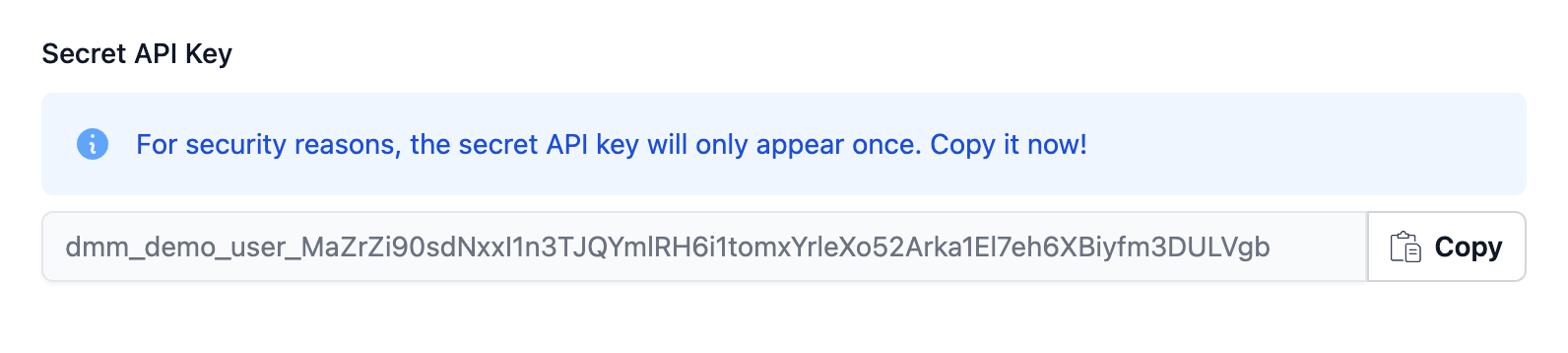
You can set an environment variable to use the API key in the examples:
export ENTROPY_DATA_API_KEY=your-secret-api-key
The API key and all requests that you perform with this API key are bound to your organization. If you have multiple organizations, e.g., for dev and test environments, you may need to generate an API key for each organization.
Expiration
When you create an API key, you can optionally give it an expiration date. Leave the field blank for a key that never expires.
- The expiration is day-granular: a key set to expire on a given date stays valid through the end of that day (UTC).
- The date cannot be in the past.
- Once a key has expired, any request made with it is rejected with
401 Unauthorized. Expired keys remain listed under [Settings » API Keys] — marked as expired and sorted to the bottom — so you can review and delete them. - The expiration date is set when the key is created and cannot be changed afterwards. To extend access, create a new key and remove the old one.
Time-boxing keys this way lets you hand out short-lived credentials — for example, for a one-off migration or an external contractor — without having to remember to revoke them manually.
Header x-api-key
To make an authenticated request, provide the API key as x-api-key header value.
curl --get https://api.entropy-data.com/api/dataproducts \
--header "x-api-key: $ENTROPY_DATA_API_KEY"
API Key Scopes
The scope of an API key is its reach: whose authority it acts with and what it can see.
-
User (Personal Access Token, PAT): The API key acts as the user who created it. It sees what that user sees and can do at most what that user can do, in the teams they belong to.
-
Team: The API key acts for the specified team and all of its sub-teams. It sees their resources and can change them, within the permissions it carries.
-
Organization: The API key acts for the entire organization. It sees everything, and can change everything the permissions it carries allow. Only organization owners can create organization-scoped keys.
Reading never takes a permission: every key can read what its scope can see. What a key may change is its permission list, described next. A key whose list is empty is a read-only key; the API reports it as the _read variant of its scope (user_read, team_read, organization_read), and every POST, PUT, PATCH and DELETE request made with it is rejected.
API Key Permissions
Every API key carries a list of the team permissions it may write with. The list is chosen when the key is created and does not change afterwards — a later change to the creator's role does not follow. When creating a key, pick one of:
- All: everything the creator may do for the chosen scope. On a team, that is what the creator holds in that team; for an organization key held by an owner, it is every permission plus
ORGANIZATION_ADMIN. - Restricted: pick the permissions one by one. On a team, only the permissions the creator holds there are offered.
- Read only: an empty list. The key can read what its scope can see and change nothing.
A key can never carry more than its creator holds: an editor cannot mint a key that deletes a team. Organization settings — members, roles, SCIM, customization, email templates and the like — are not covered by any team permission; they take ORGANIZATION_ADMIN, which only an organization key, or the user key of an owner, can carry. A key with an empty list still reads those settings on its scope alone.
The list shows what each key carries, and the key's own permissions are intersected with what its scope allows on each request: a team key needs the permission and the team inside its subtree, a user key needs the permission and its user holding it on the team.
Keys created before this release carry every permission their scope allowed at the time, so nothing changed for them. A permission added to the catalog later is not added to existing keys automatically.
Through the API
POST /api/api-keys creates team keys. Pass permissions as a list of permission names, as shown on the roles page. Omit it for everything the calling key holds on the team; pass an empty list for a read-only key. Retired generic names such as RESOURCES_EDIT are accepted and expanded. The response echoes the list the key carries.
curl https://api.entropy-data.com/api/api-keys \
--header "x-api-key: $ENTROPY_DATA_API_KEY" \
--header "Content-Type: application/json" \
--data '{
  "displayName": "ci-pipeline-checkout",
  "scope": "team",
  "teamId": "checkout",
  "permissions": ["DATAPRODUCT_ADD", "DATAPRODUCT_EDIT", "DATACONTRACT_EDIT"],
  "expiresAt": "2026-12-31"
}'
A permission the caller does not hold on the team is refused with 403; an unknown name, ORGANIZATION_ADMIN, or a non-empty list with scope team_read with 400.
An MCP session opened with an API key is bound by the same list.