
Data Contract CLI in a Databricks Notebook
Use the Data Contract CLI Python library directly inside a Databricks notebook to import an existing table's structure and publish it as a data contract to Entropy Data.
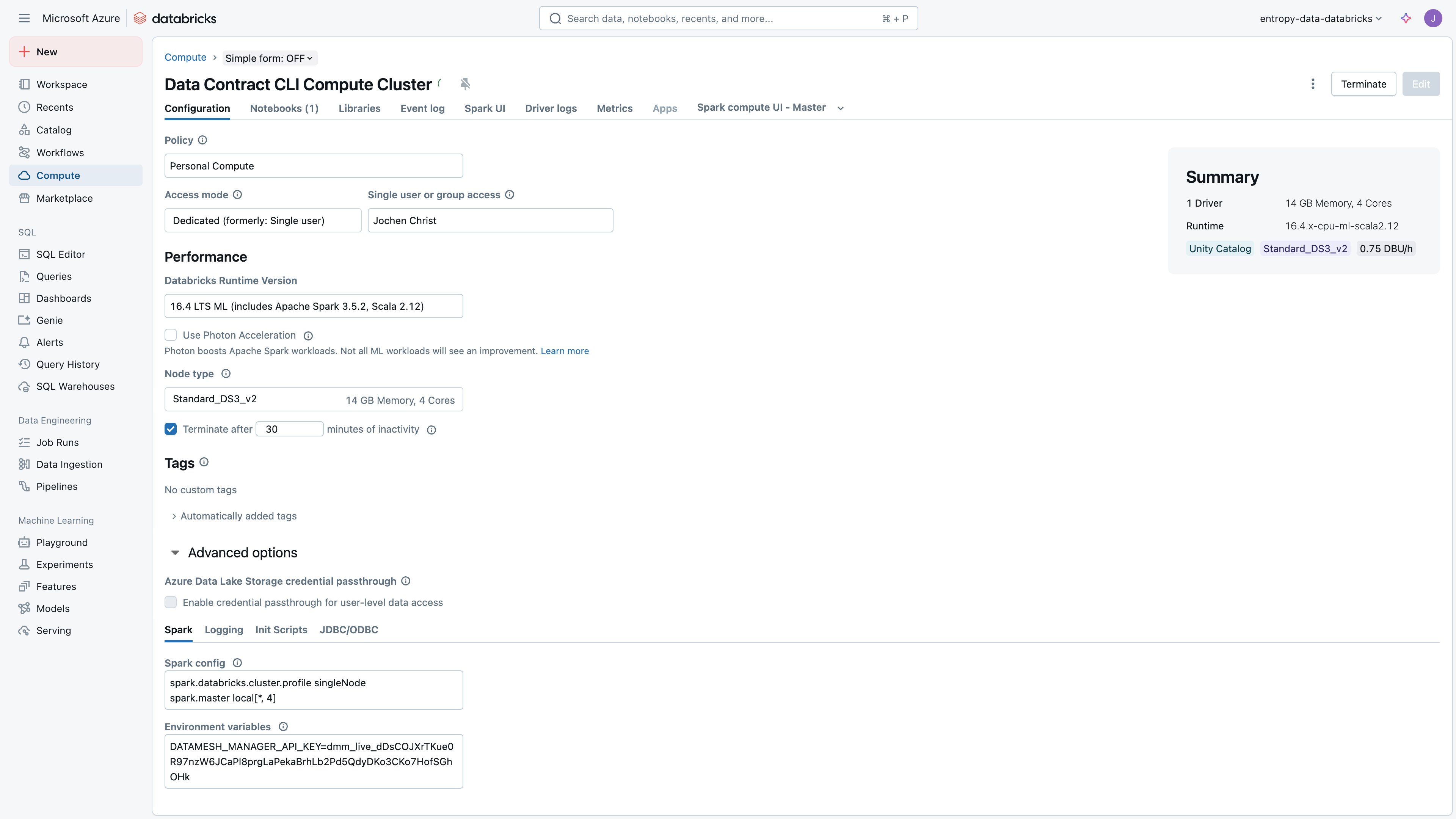
Create a Compute Resource with datacontract-cli Python Library
To efficiently use the Data Contract CLI, it is recommended to create a compute resource in Databricks with the Python library installed.
Also, create an API Key and set the environment variable ENTROPY_DATA_API_KEY to the API key value in the compute configuration.
If your Entropy Data instance is self-hosted, also set ENTROPY_DATA_HOST to its API host.
Import with Data Contract CLI
Imports return an ODCS data contract.
unity_table_full_name takes a list, so you can import several tables into one contract.
  from datacontract.data_contract import DataContract
  from datacontract.integration.entropy_data import publish_data_contract_to_entropy_data

  # import existing table structure
  data_contract = DataContract.import_from_source(
      format="unity",
      unity_table_full_name=["demo_org_masterdata_prod.dp_country_codes_op_v1.country_codes"])

  # print
  print(data_contract.to_yaml())
The import reads the table definition through the Databricks SDK, using the workspace credentials already available in the notebook.
  from open_data_contract_standard.model import Description, Team

  # update the data contract
  data_contract.id = "country_codes"
  data_contract.name = "Country Codes"
  data_contract.team = Team(name="master-data")
  data_contract.description = Description(purpose="ISO codes for every country we work with")

  # the schema is a list of objects, one per imported table
  data_contract.schema_[0].description = "ISO codes for every country we work with"

  # print again
  print(data_contract.to_yaml())
  # env variable ENTROPY_DATA_API_KEY must be set
  publish_data_contract_to_entropy_data(
      data_contract_dict=data_contract.model_dump(by_alias=True, exclude_none=True),
      ssl_verification=True)
Publishing does a PUT on /api/datacontracts/{id}, so re-running the notebook updates the same contract.