Domains & Teams
Overview
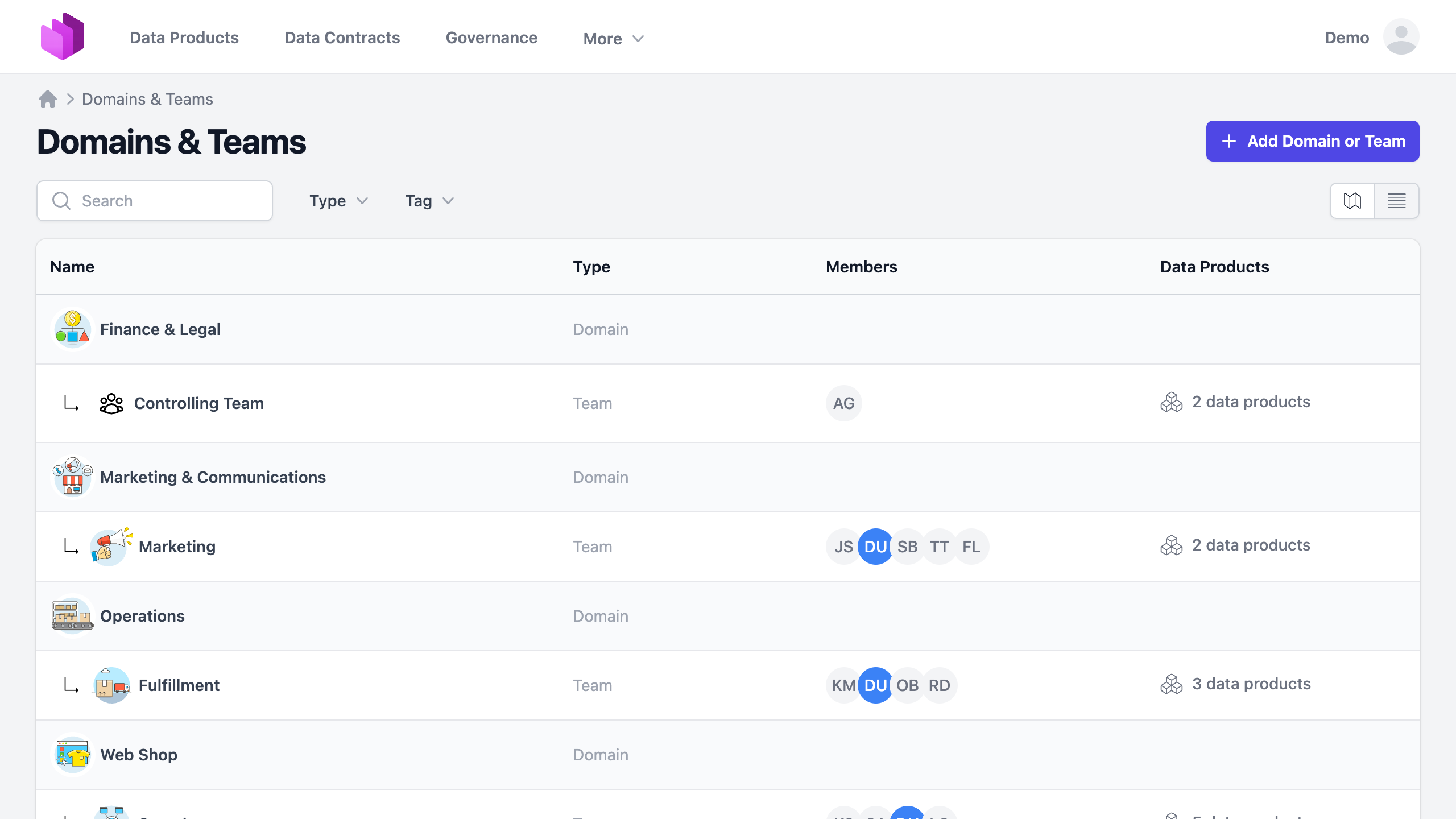
Domains and Teams are fundamental organizational units in Entropy Data that help structure and manage ownership, access, and governance. They form a hierarchical structure where Domains can contain Teams or subdomains.
A team is the smallest unit of ownership in Entropy Data. Resources (data products, data contracts, definitions, ...) are owned by domains and teams.
A team contains members and is responsible for managing their resources.
Create a Domain or Team
Only Organization Owners can create Domains and Teams. Team Owners can create subdomains and teams within their team.
Logo
You can specify a logo for a domain or team.
Sort Order
Domains and teams are listed alphabetically. To put some ahead of the others, set a Sort order on the edit form: domains and teams with a sort order come first, lowest value first, wherever teams are listed, and the rest follow alphabetically. Clear the field to return a team to the alphabetical part of the list.
Team Types
While technically all domains and teams are represented by the technical entity Team, we distinguish between different types of teams to clarify their roles and responsibilities.
Domain
- Represents a high-level business unit or data domain
- Can contain subdomains and teams
- Used to organize and structure data ownership
Team
- A group of people working together on a specific data product.
Platform Team
- A special team that manages the data platform infrastructure
Enabling Team
- A team that collaborates with other teams and helps them to build well-architected data products
Governance Group
- A specialized team that focuses on data governance and compliance
- The governance group owns Global Policies
Team Members
A team (or domain) can have team members with different roles and permissions.
To add a team member, you need to be an owner of the team or domain (or have the TEAM_MEMBER_ADD permission).
For that, a user must be a member of the current organization.
Learn more, how to set up SCIM to automatically add users to the organization.
A team member has a team role with attached permissions. More information about roles can be found in the Roles section.
Agents
A team can own agent identities for AI agents and automations that run without a person signed in. They are listed in the Agents section of the team page, and the team is accountable for them.