
Test a Data Contract
Testing runs a data contract's data quality rules against the real data behind its output port and records the result — so you and your consumers know the data still meets the contract.
Run checks in the UI
- Open the data contract in Studio.
- Click Run Checks.
Entropy Data runs the contract's checks against the server. The outcome appears in the contract's Data Quality section: how many checks passed or failed, the server that was tested, and when it last ran.
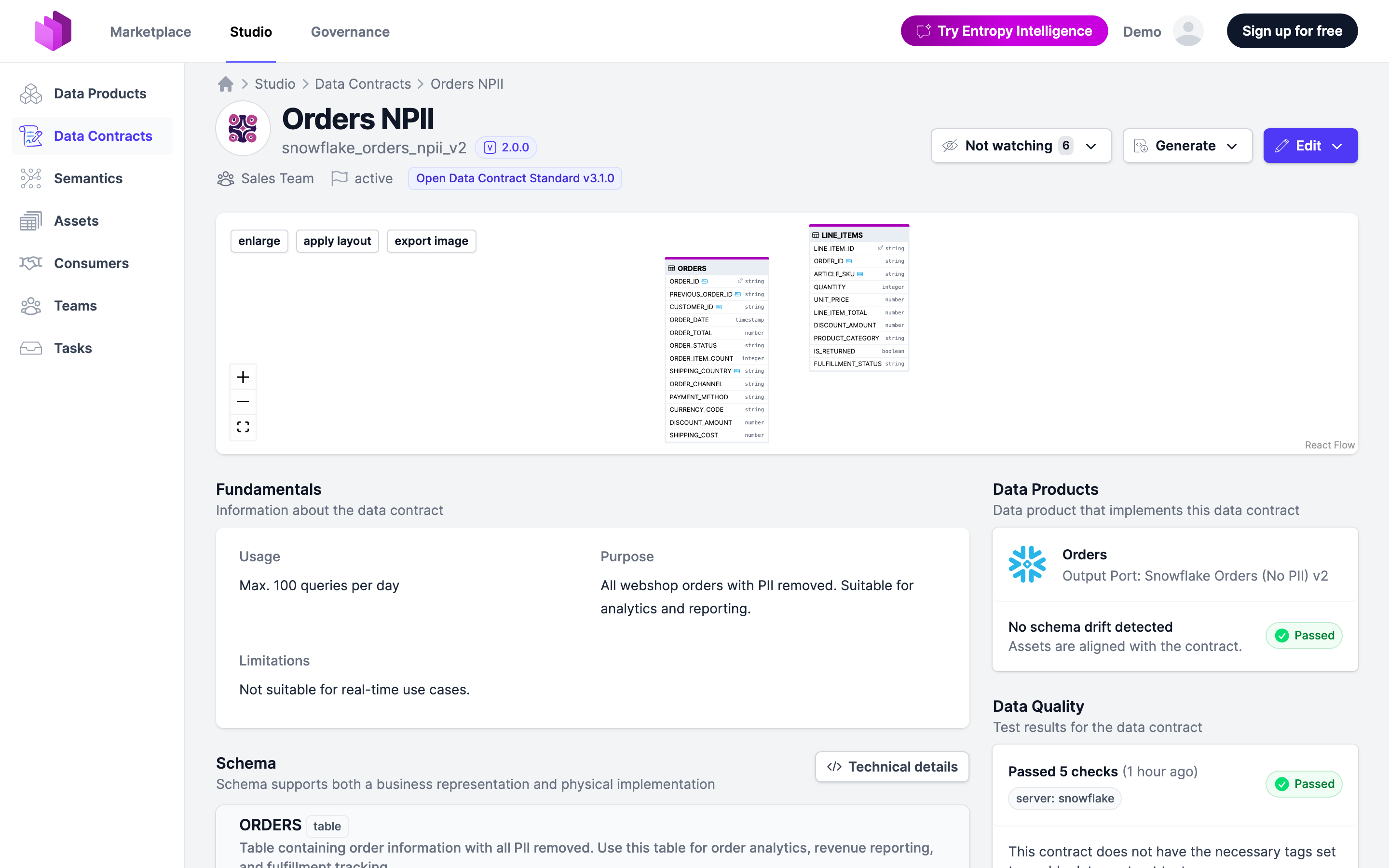
You can also see results in the Tests view of the Data Contract Editor.
Scheduled tests require the data contract to carry the tags configured for testing in your organization. Until then, the Data Quality section shows: "This contract does not have the necessary tags set to enable data contract tests." Ask your administrator which tags enable testing.
Test with the Data Contract CLI
The Data Contract CLI (datacontract test) runs the same checks locally or in a pipeline and publishes the results back to Entropy Data. Each contract's How to test section shows a ready-made command with the right URL and server. The general shape:
# Authenticate to Entropy Data
export ENTROPY_DATA_API_KEY=<your-api-key>

# Credentials for the data source (example: Snowflake)
export DATACONTRACT_SNOWFLAKE_USERNAME=<username>
export DATACONTRACT_SNOWFLAKE_PASSWORD=<password>
export DATACONTRACT_SNOWFLAKE_WAREHOUSE=<warehouse>
export DATACONTRACT_SNOWFLAKE_ROLE=<role>

datacontract test https://<your-entropy-data-host>/<org>/datacontracts/<contract-id> \
  --server <server> \
  --publish <publish-url>
<server> is the server defined in the contract to test against; --publish uploads the results to Entropy Data. Create the API key under your organization settings — it must be associated with a user.
To test a branch of the contract rather than the contract itself, read the branch's document from /api/datacontracts/<contract-id>/branches/<branch>/datacontract.yaml and name the branch in the uploaded result ("branch": "<branch>"). The run then shows on the branch page only and never counts for the contract.
Test in CI/CD
Run datacontract test on every change so breaking changes are caught before they reach consumers. See CI/CD.