
Data Product Builder
Skills that enable AI coding agents (Claude Code, OpenAI Codex, GitHub Copilot CLI) to build data products, compliant to your organization's tech stacks, conventions, and fully integrated with Entropy Data.
The skills are available as plugins for your AI coding agents that your data engineers use every data. Entropy Data ships templates with best practices for major data product tech stacks, such as dbt, Databricks, and AWS. Organization can fully customize the skills by forking the Git repository.
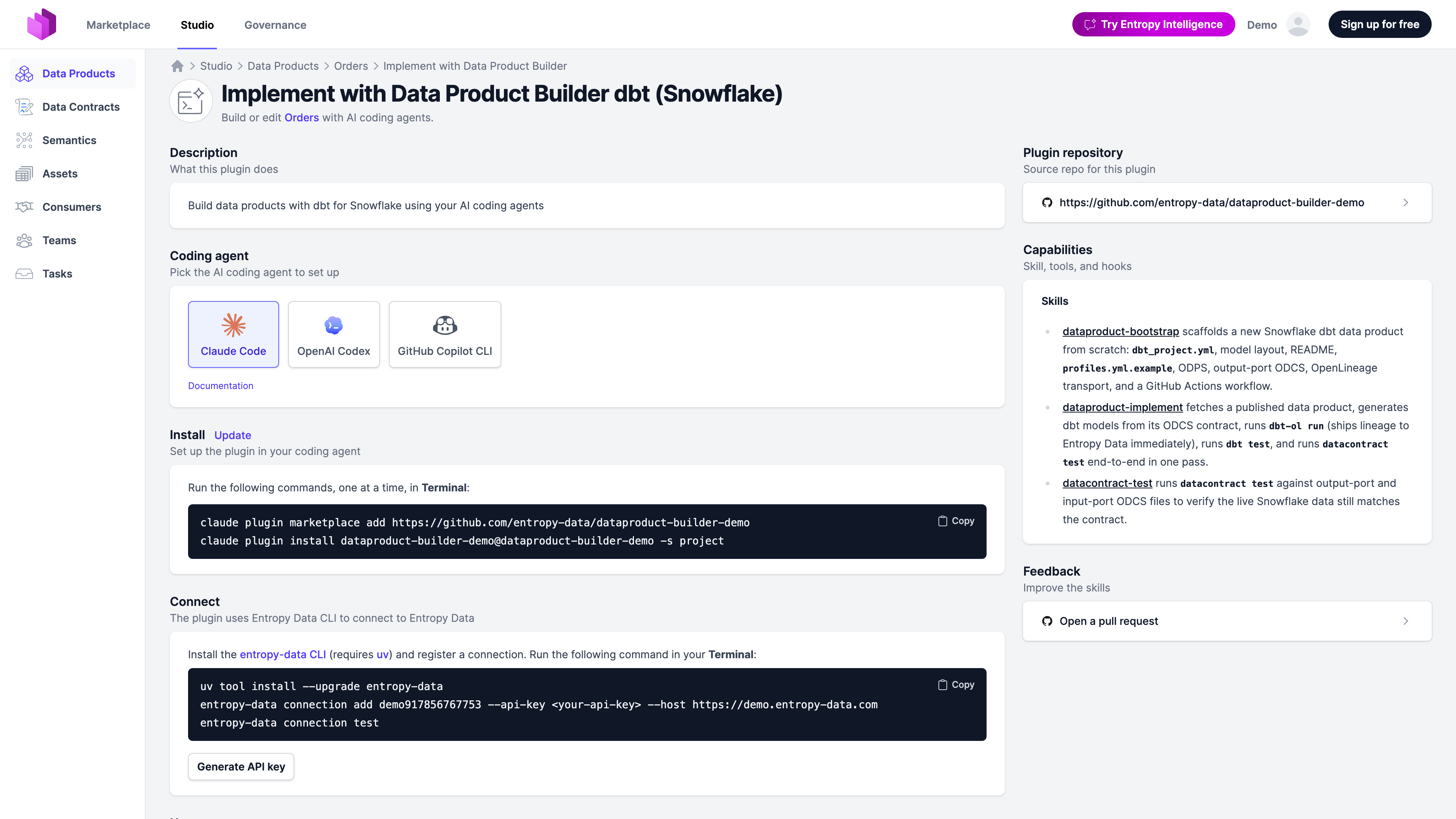
How it fits together
The feature has two halves:
- Plugins live in public GitHub repositories under
entropy-data. They are plain Markdown skills plus a manifest for each supported coding agent. Customer organizations can fork them, change templates and conventions, and publish the fork under their own GitHub, GitLab, ADO, or Bitbucket organization. - Builders are configurations inside Entropy Data, managed under Governance → Data Product Builders. A builder pairs a plugin repository with usage instructions, supported agents, and rules that decide which data products see it.
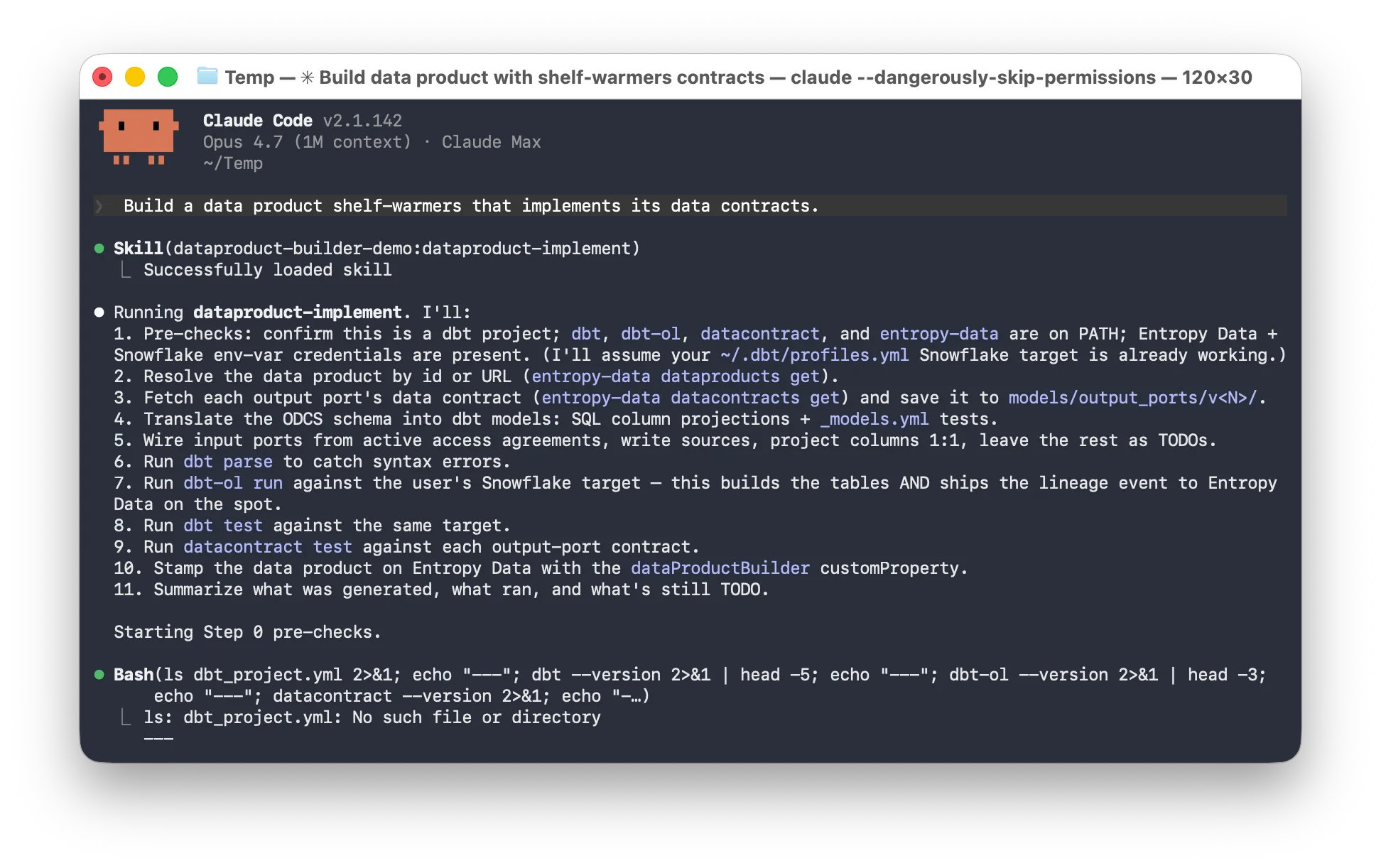
A team working on a data product opens the Builder, picks an install command for their coding agent, connect to Entropy Data, and asks the agent to implement the data product. The agent reads the linked data contracts, generates the pipeline, runs datacontract test, and ships the change as a pull request.
All in your existing data engineering workflow.
Available plugins
| Plugin | Status | Repository |
|---|---|---|
| dbt | Released | entropy-data/dataproduct-builder-dbt |
| Databricks DAB | Coming soon | — |
| Snowflake Native Apps Framework | Coming soon | — |
| AWS Glue | Coming soon | — |
The dbt plugin works against any dbt adapter (Snowflake, BigQuery, Databricks, Redshift, Postgres). The Snowflake-only demo plugin is a streamlined variant that runs dbt-ol run, dbt test, and datacontract test in one pass so the data product shows up in Entropy Data in minutes — useful for trials, workshops, and proof-of-value engagements.
What the dbt plugin ships
The dbt plugin is the reference implementation. It ships seven skills:
- dataproduct-bootstrap scaffolds a new dbt data product from scratch:
dbt_project.yml, model layout, README,profiles.yml.example. - dataproduct-implement analyzes the input and output data contracts and implements the dbt models.
- dataproduct-exampledata extracts sample rows, drops PII columns flagged in the contract, and uploads the scrubbed sample to Entropy Data.
- datacontract-edit edits an output-port
models/output_ports/v<N>/*.odcs.yamlusing natural language. - datacontract-test runs
datacontract testto verify the live data still matches the schema and quality rules. - entropy-data-sync integrates an existing dbt project with the Entropy Data reference layout, sets up a GitHub Actions workflow, and synchronizes metadata.
- entropy-data-teams lists the teams configured in Entropy Data so the user can pick an owner.
The skills are plain Markdown. Any coding agent that reads instruction files (Cursor, Aider, plain Claude) can use them. The repository also ships agent manifests for Claude Code, OpenAI Codex, and GitHub Copilot CLI so installation is one command.
Supported coding agents
| Agent | Install |
|---|---|
| Claude Code | /plugin marketplace add <repo> + /plugin install <name>@<name> |
| OpenAI Codex | codex plugin marketplace add <repo>, then /plugins |
| GitHub Copilot CLI | /plugin marketplace add <repo> + /plugin install <name>@<name> |
Entropy Data renders the install command for each agent on the data product's Data Product Builder page. The repository URL configured on the builder fills in the placeholders, so a forked plugin's install commands appear automatically.
Authentication
Plugins authenticate against Entropy Data through a connection registered with the entropy-data CLI using a personal, team-scoped, or organization-scoped API key.
For CI workflows, the published GitHub Actions workflow uses a team-scoped or organization-scoped API key stored as a repository secret.
Customizing plugins
Customer organizations are encouraged to fork the reference plugins. Common extension points:
- Templates under
skills/dataproduct-bootstrap/templates/ship the ODPS, ODCS, OpenLineage transport, GitHub Actions workflow, and project skeleton that the bootstrap and sync skills install. Replace any of them to match your conventions: swap GitHub Actions for Airflow, change the model layer naming, embed company-specific tags. - Skills: add
skills/<name>/SKILL.mdfor stack-specific flows — internal data-quality checks, governance approvals, downstream sync to your data catalog. - Hooks: extend
hooks/hooks.jsonwith additionalPostToolUsevalidators, for example an internal lint onmodels/**/*.sql. - Subagents: add subagents under
agents/for specialist roles such as a PII scanner tuned to your classification taxonomy.
After forking, register the forked repository as a custom builder in Entropy Data so the Data Product Builder page points at your fork rather than the reference plugin.
Links
- Configuration — how governance teams add and configure builders.
- Using on data products — what data product teams see and how to install a builder.
- dbt plugin repository
- Snowflake demo plugin
- Entropy Data MCP server
- Open Data Product Standard (ODPS) details