Trino Integration
Integration of Trino with Entropy Data.
The Trino integration is managed within Entropy Data. Configure the connection and sync schedule to start syncing with Trino.
No additional deployments are needed.
Starburst is supported through this integration. Starburst Galaxy and Starburst Enterprise both speak the Trino HTTP statement protocol, so point the integration at your Starburst cluster's coordinator URL and configure it exactly as described below.
Features
- Asset Synchronization: Sync catalogs, schemas, and tables from Trino to Entropy Data as Assets.
- Query Execution: Execute read-only SQL queries on Trino data products through the MCP interface and Entropy Intelligence.
Prerequisites
To start, navigate to Settings > Integrations > Add Integration.
This opens a wizard that guides you through configuring the integration.
Configuration
Select the Integration Type
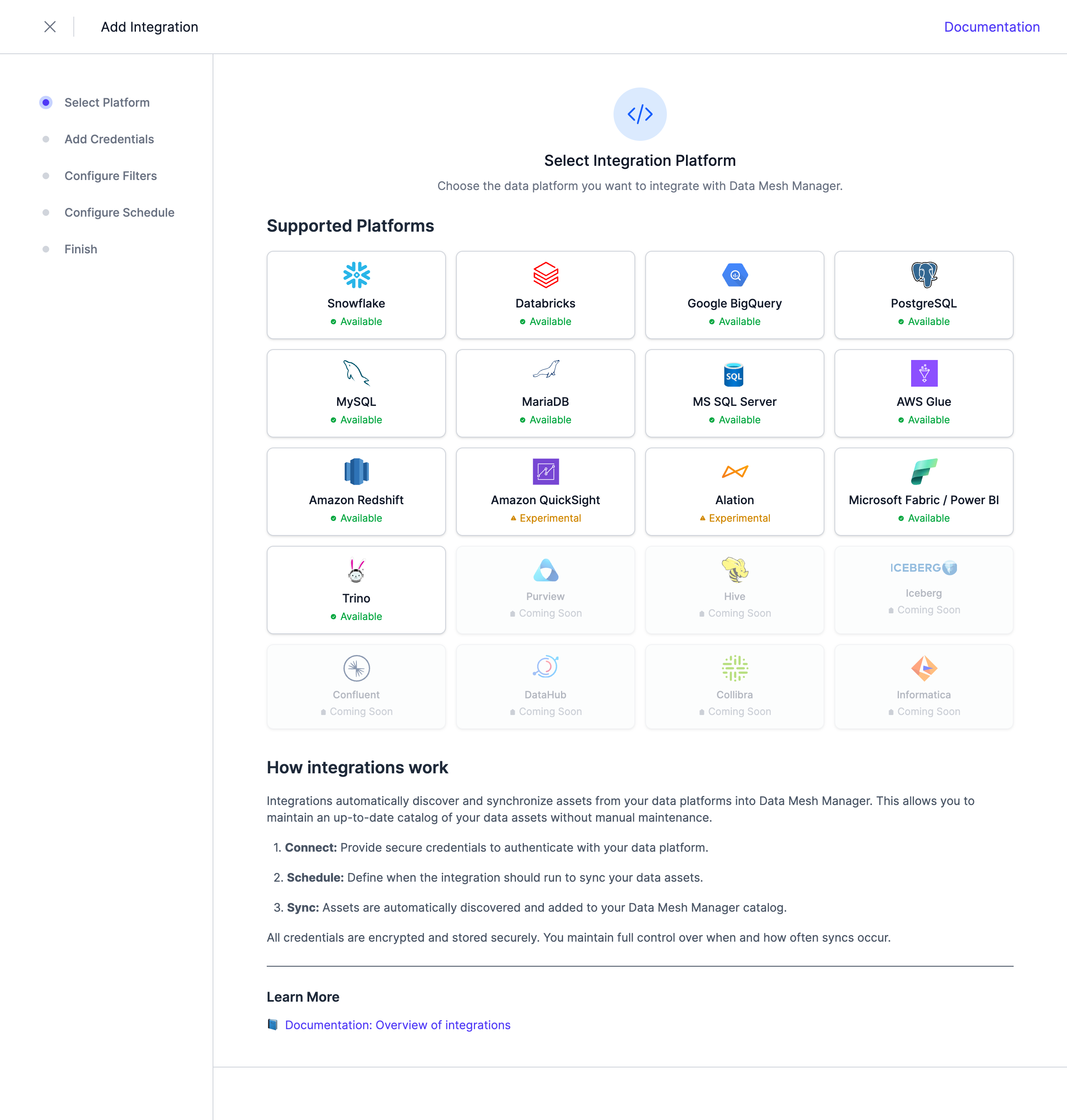 Select Trino from the list of available integrations.
Configure the Credentials
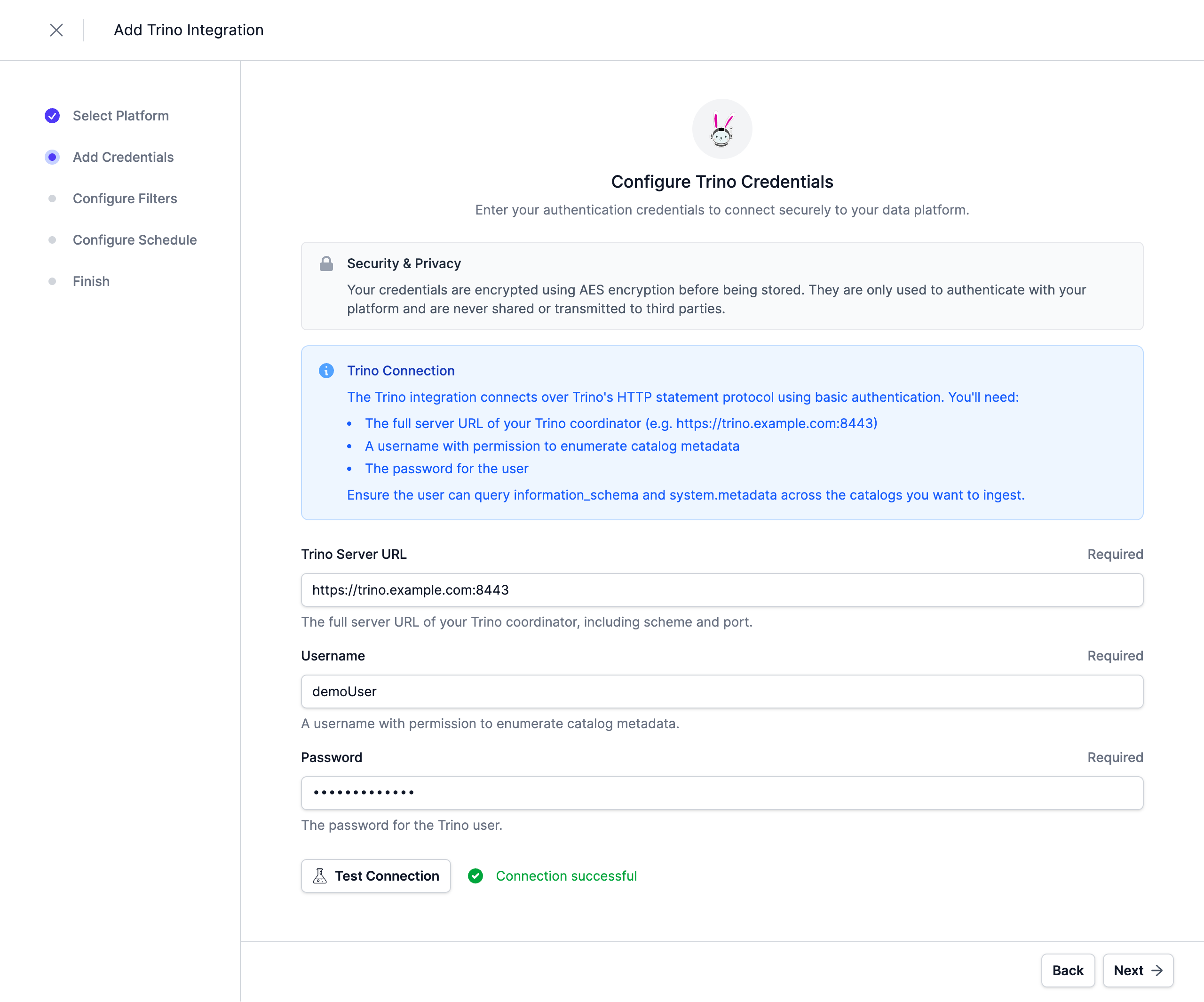
The integration connects over Trino's HTTP statement protocol using basic authentication.
Provide the following connection details:
| Parameter | Description |
|---|---|
| Trino Server URL | The full server URL of your Trino coordinator, including scheme and port (e.g., https://trino.example.com:8443) |
| Username | A username with permission to enumerate catalog metadata |
| Password | The password for the user |
The user needs to be able to query information_schema and system.metadata across the catalogs you want to ingest.
Note: Credentials are stored encrypted in the Entropy Data database. To enable encryption in your environment, set a 64 hex character
APPLICATION_ENCRYPTION_KEYSin your environment (see Configuration).
Configure Filters
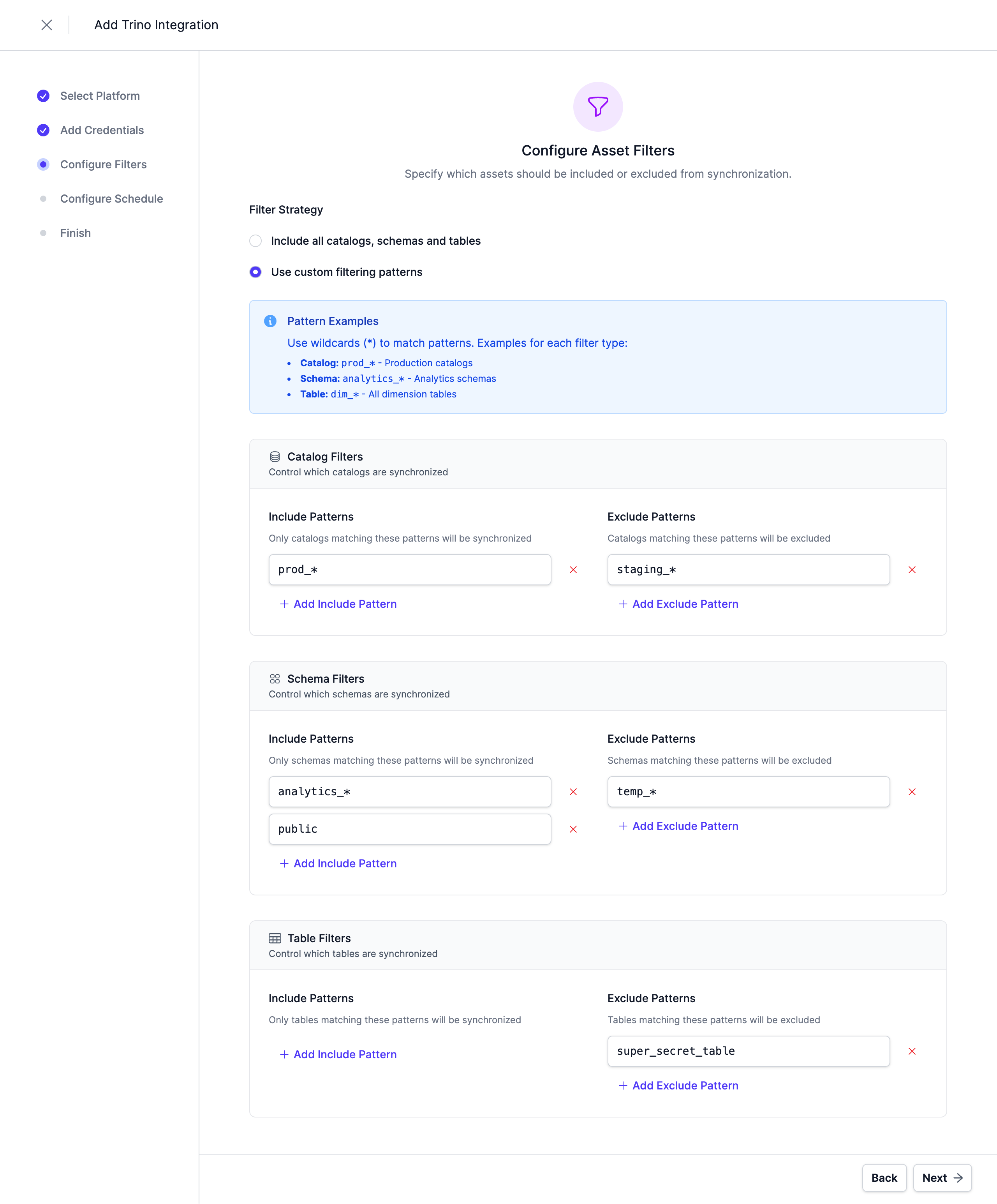
Configure filters to limit which assets are synchronized. Both include and exclude filters are supported. For Trino, filters can be applied to Catalogs, Schemas, and Tables.
Filters support '*' as a wildcard character to match any number of characters.
Configure Schedule
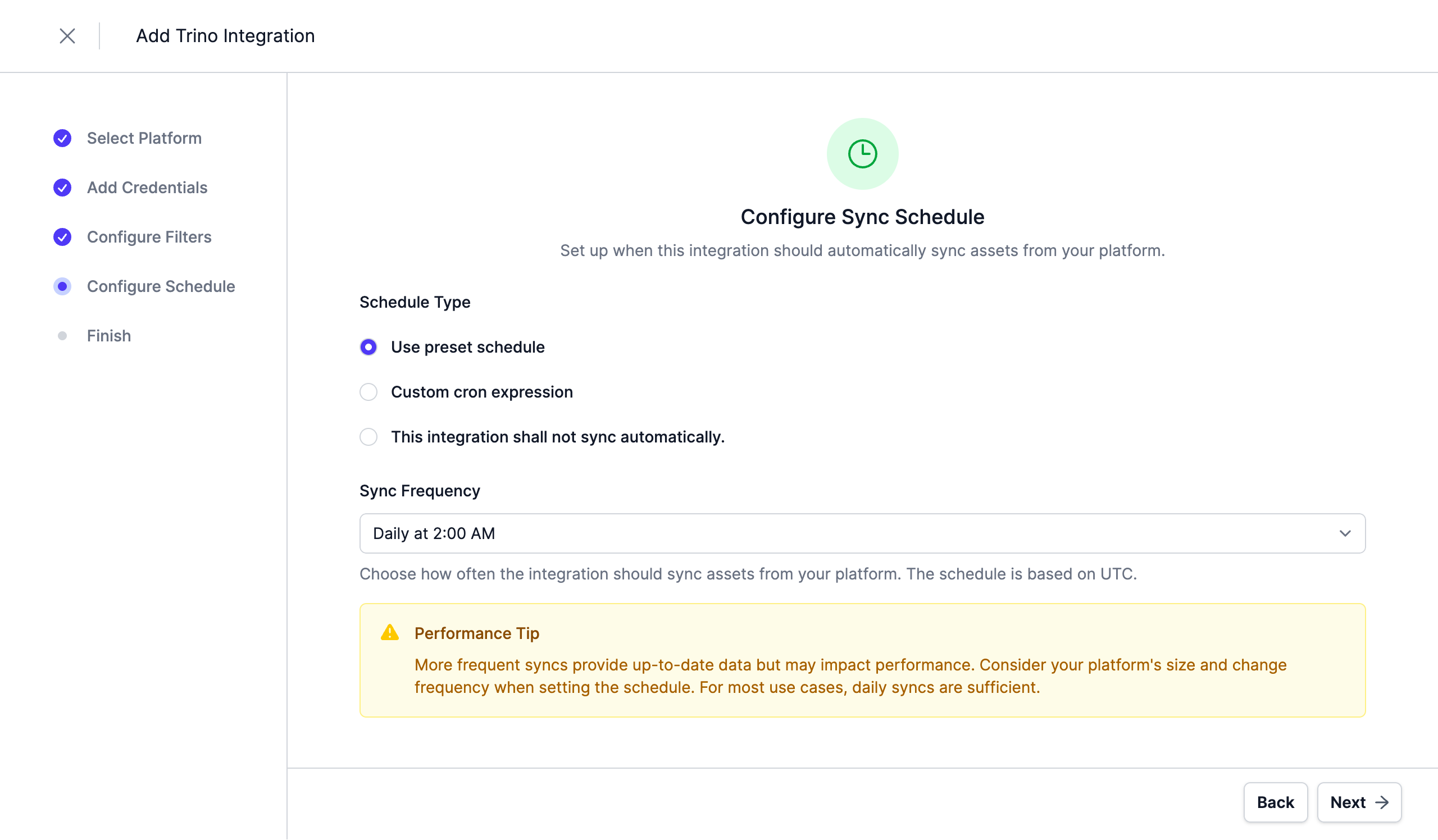
Set a schedule to automatically synchronize assets. You can choose from predefined schedules or define a custom schedule using the cron expression format.
Note: All schedules use the UTC timezone, so make sure to take this into account when configuring your schedule. Please do not synchronize the assets more than once or twice per day. We reserve the right to disable the integration if this happens. You will be able to trigger a synchronization manually if you need an immediate update.
Complete the Integration Configuration
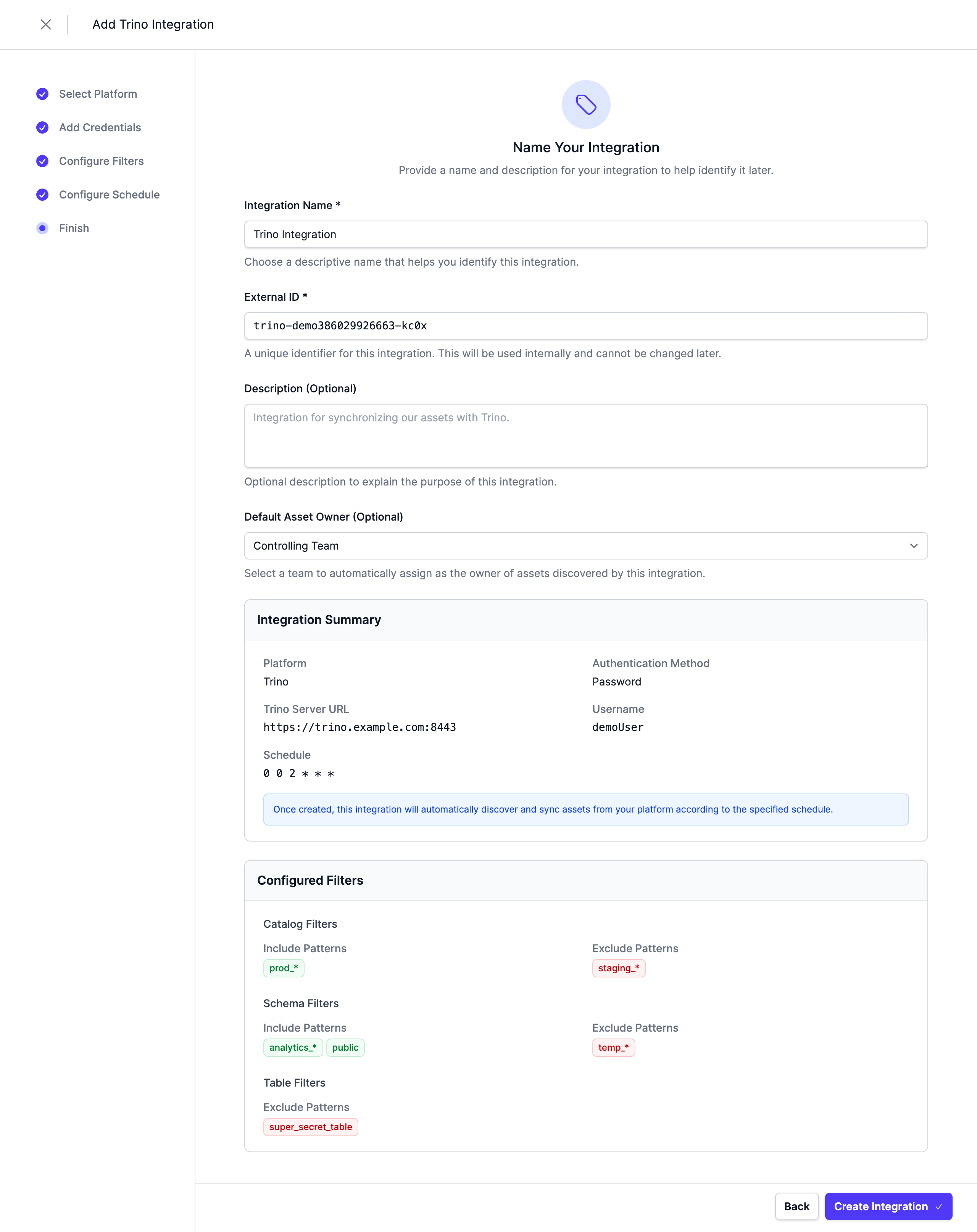
Choose a unique name for the integration, review your configuration, and click Create Integration.
Query Execution
Once a Trino data product is available, users can execute read-only SQL queries against its output ports through:
- MCP Interface: Use the
execute_querytool to run SQL queries on Trino output ports. - Entropy Intelligence: Chat-based query execution with automatic connection setup.
To execute queries, each user needs to configure a personal Trino connection in their profile under Connections. This ensures queries run on behalf of the individual user with their own Trino credentials and permissions.
Next Steps
The integration is now configured and will run according to the schedule. To check the integration status, navigate to Settings > Integrations. Here you'll find the current status and the last 10 integration runs.
You can adjust the integration configuration and credentials at any time. The configuration is saved in YAML format with syntax validation support in the editor.
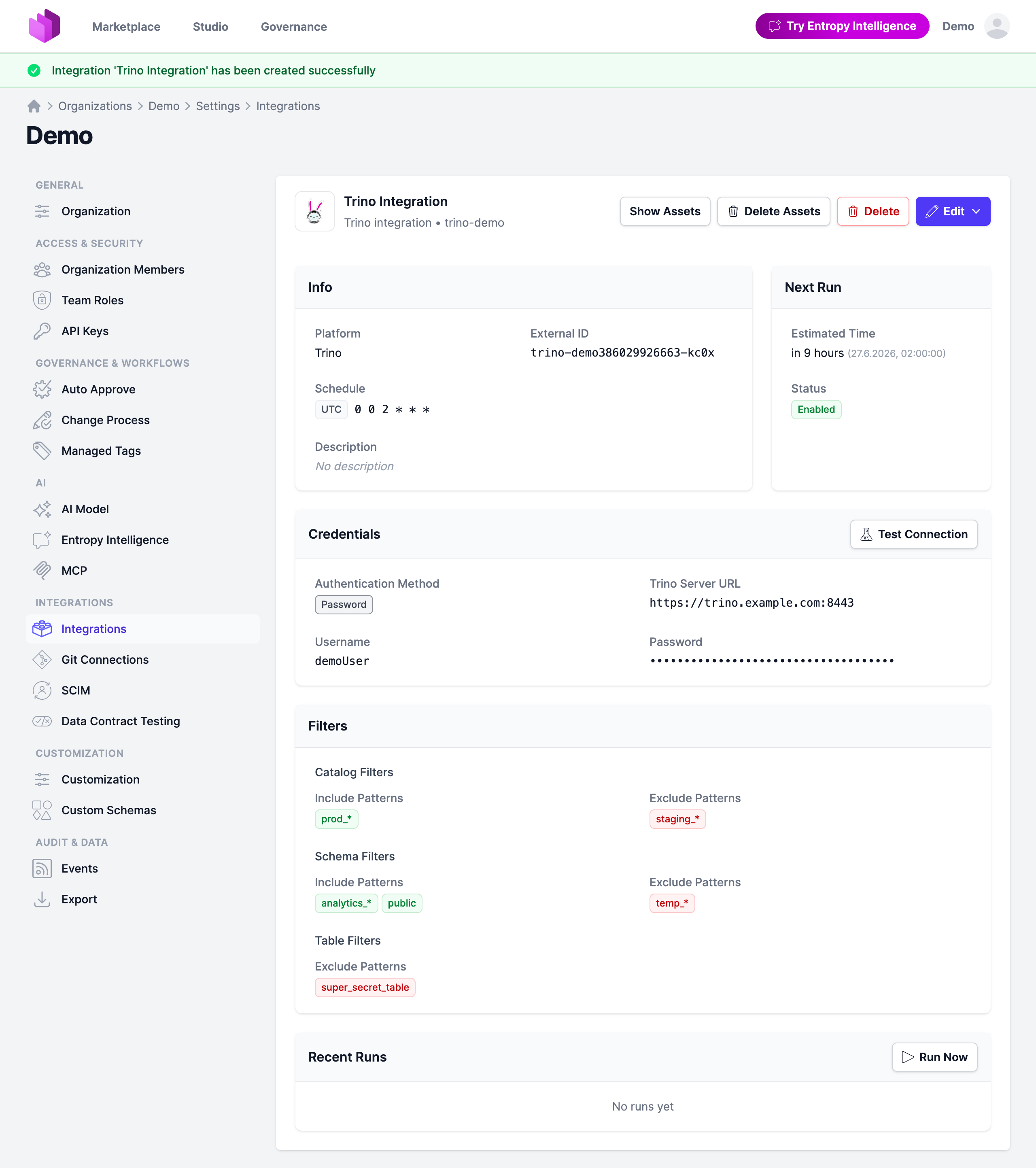
Note: The previously stored credentials are not displayed in the edit view for security reasons. If you want to change them, add new credentials and save the integration.
Deselecting the Enabled checkbox disables the automatic schedule. Manual integration runs are still possible.