Data Quality Score
Turn the check results you already collect into one number everybody can read at a glance.
Data contracts carry data quality rules, and Entropy Data runs them against your real data. That gives you a lot of pass/fail detail — but it does not answer the question a consumer, a product owner, or a governance lead actually asks: is this data any good?
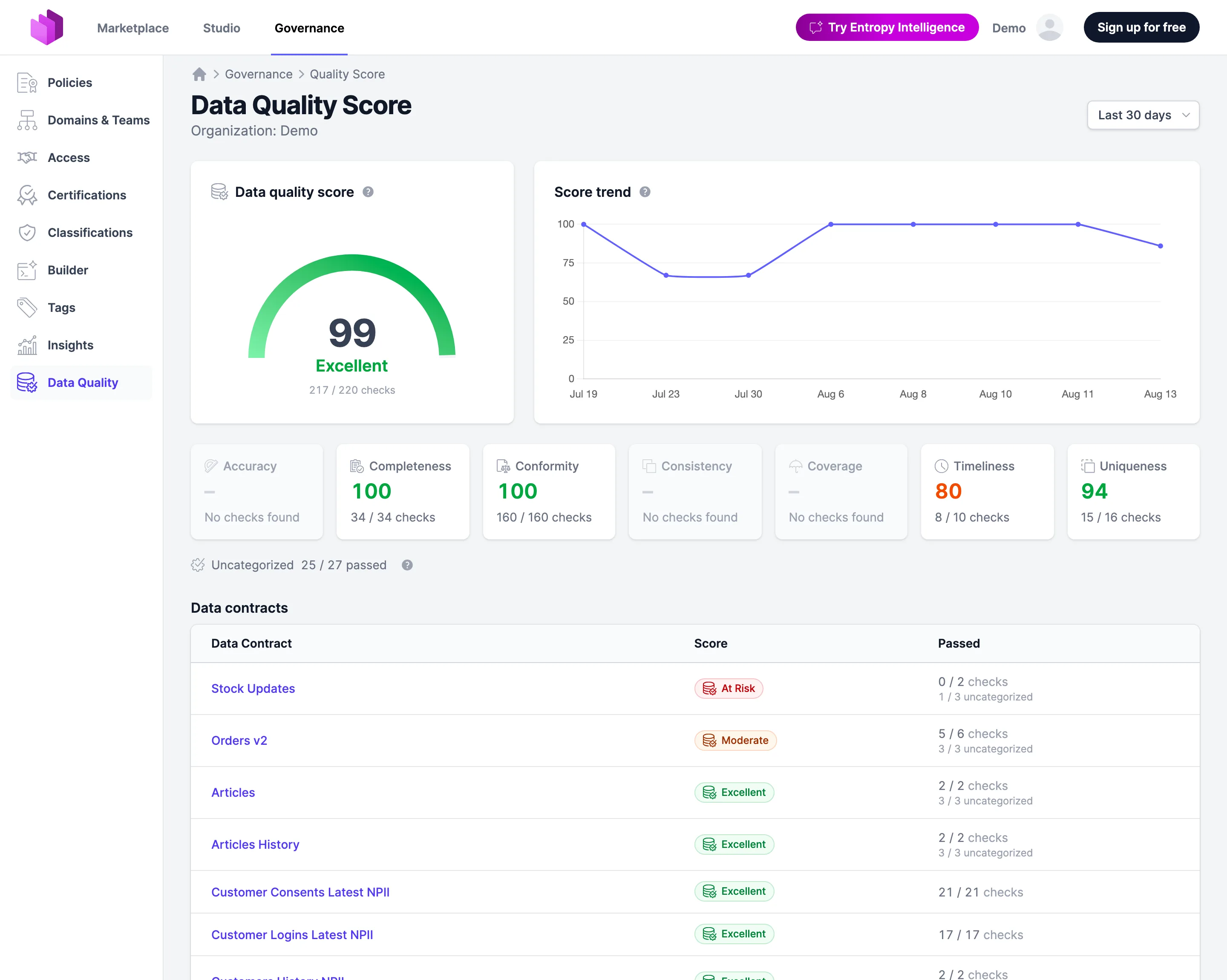
The data quality score answers it. It summarises check results as a single mark out of 100, at every level of your organization: one data contract, one data product, a team, a domain, or everything you have.
Switching it on
The score is off by default. An organization owner turns it on under Settings → Data Quality Score.
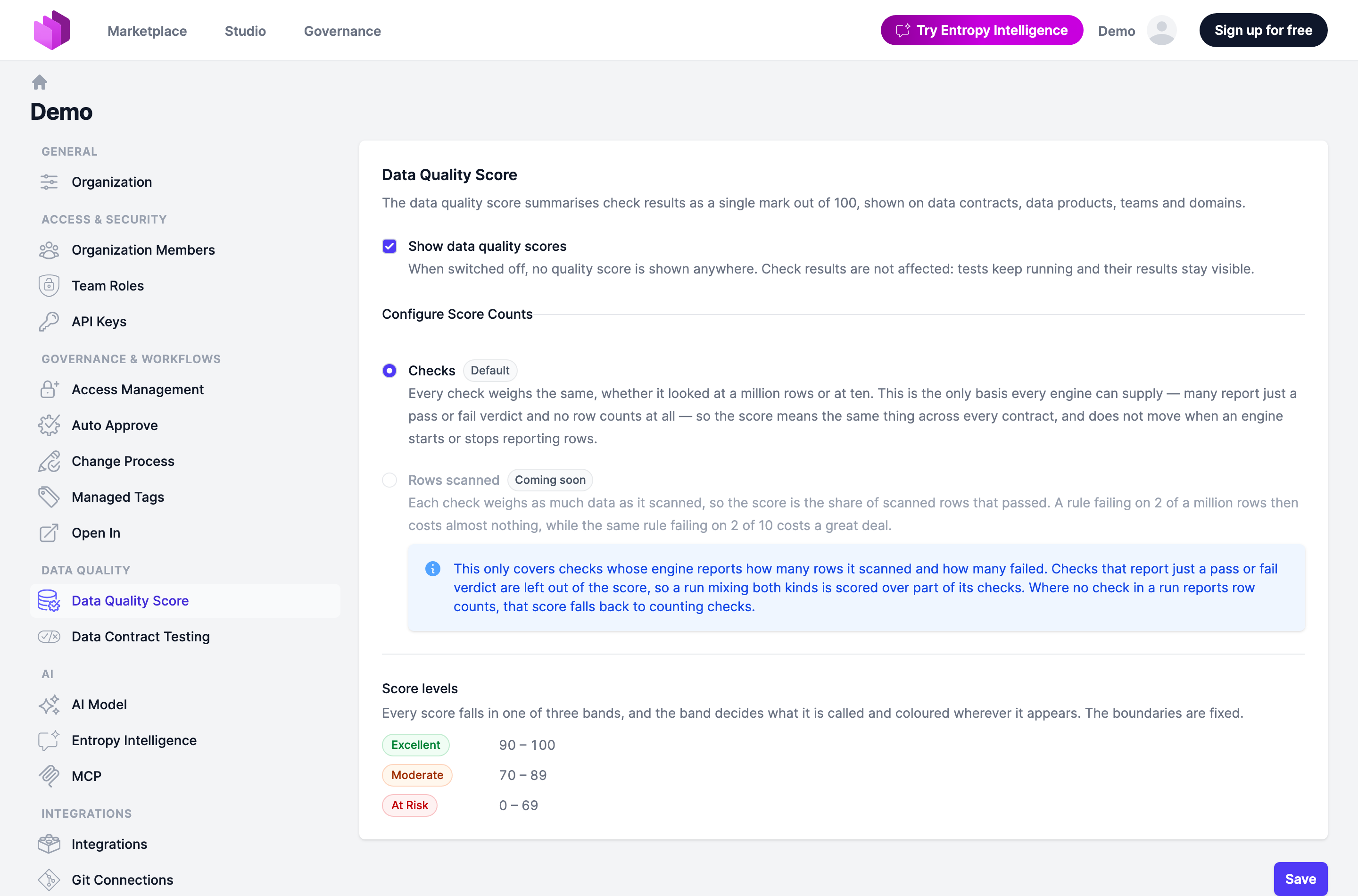
- Show data quality scores — when switched off, no score is shown anywhere and the score pages do not exist. Check results are not affected: tests keep running and their results stay visible.
- Configure Score Counts — what a score counts: Checks (the default) or Rows scanned. See Checks or rows scanned.
- Score levels — the three bands, and the boundaries between them. They are fixed and not (yet) configurable.
How the score is calculated
The latest run of each (data contract, server) pair is what gets scored. A contract tested hourly does not outweigh one tested weekly. The accumulated score only includes active data contracts.
Checks or rows scanned
On the checks basis, every check weighs the same. The score is the share of those checks that passed, as a percentage. A rule failing on 2 rows of a million costs exactly as much as a rule failing on 2 rows of 10. This is the default, and the only basis every test engine can supply: many report a pass or fail verdict and no row counts at all, so the score means the same thing across every contract and does not move when an engine starts or stops reporting rows.
On the rows-scanned basis, each check weighs as much data as it scanned. The score is the share of scanned rows that passed. A rule failing on 2 rows of a million then costs almost nothing, while the same rule failing on 2 rows of 10 costs a great deal. Only checks whose engine reports how many rows it scanned and how many failed contribute; checks that report just a verdict are left out of the score, so a run mixing both kinds is scored over part of its checks. A run in which no check reports row counts falls back to counting checks.
Every score falls in one of three bands, and the band decides what it is called and coloured wherever it appears:
| Band | Score |
|---|---|
| Excellent | 90 – 100 |
| Moderate | 70 – 89 |
| At Risk | 0 – 69 |
Only checks that could be placed on a quality dimension are scored — see below.
Quality dimensions
Every score breaks down into the seven quality dimensions of the Open Data Contract Standard: accuracy, completeness, conformity, consistency, coverage, timeliness, and uniqueness.
Each dimension is scored the same way as the total, over its own checks. All seven are always shown, whether or not you test them: a dimension nobody checks is a gap in coverage worth seeing, and it shows a dash rather than a zero, because "untested" is not the same as "failed".
How a check gets its dimension
For each check, in this order:
- The dimension the test engine reported for that check. A statement always beats a guess.
- The matching quality rule in the contract. The check is matched against the ODCS quality definitions of the data contract it ran on, by name (or by description, which is what engines like the Data Contract CLI publish as the check name), and takes that rule's
dimension. - The check's own name and type. Generated schema checks are recognised by convention — "no duplicate values" is uniqueness, "no missing values" is completeness, "is present" and type checks are conformity, freshness checks are timeliness.
The reliable way to control this is step 2: set dimension on your quality rules.
schema:
  - name: "ORDERS"
    quality:
      - name: "Row Count"
        type: "library"
        metric: "rowCount"
        mustBeGreaterThan: 0
        description: "Orders table must not be empty."
        dimension: "completeness"
ODCS accepts the full dimension names as well as their two-letter abbreviations (ac, cp, cf, cs, cv, tm, uq).
Uncategorized checks
Checks that none of the three steps can place are counted but never scored, and shown as a plain passed-of-total line beside the dimension tiles.
They stay out of every number on purpose. A score is a claim about a dimension of quality, and a check nobody could attribute makes no such claim — folding it in would move every number on the page by an amount that says nothing about the data, and would change the moment somebody adds a dimension to their contract. Counting them separately keeps visible how much of a run the score does not cover. To have them counted, give them a dimension.
The score page
Every score links to a page that shows how it came about.
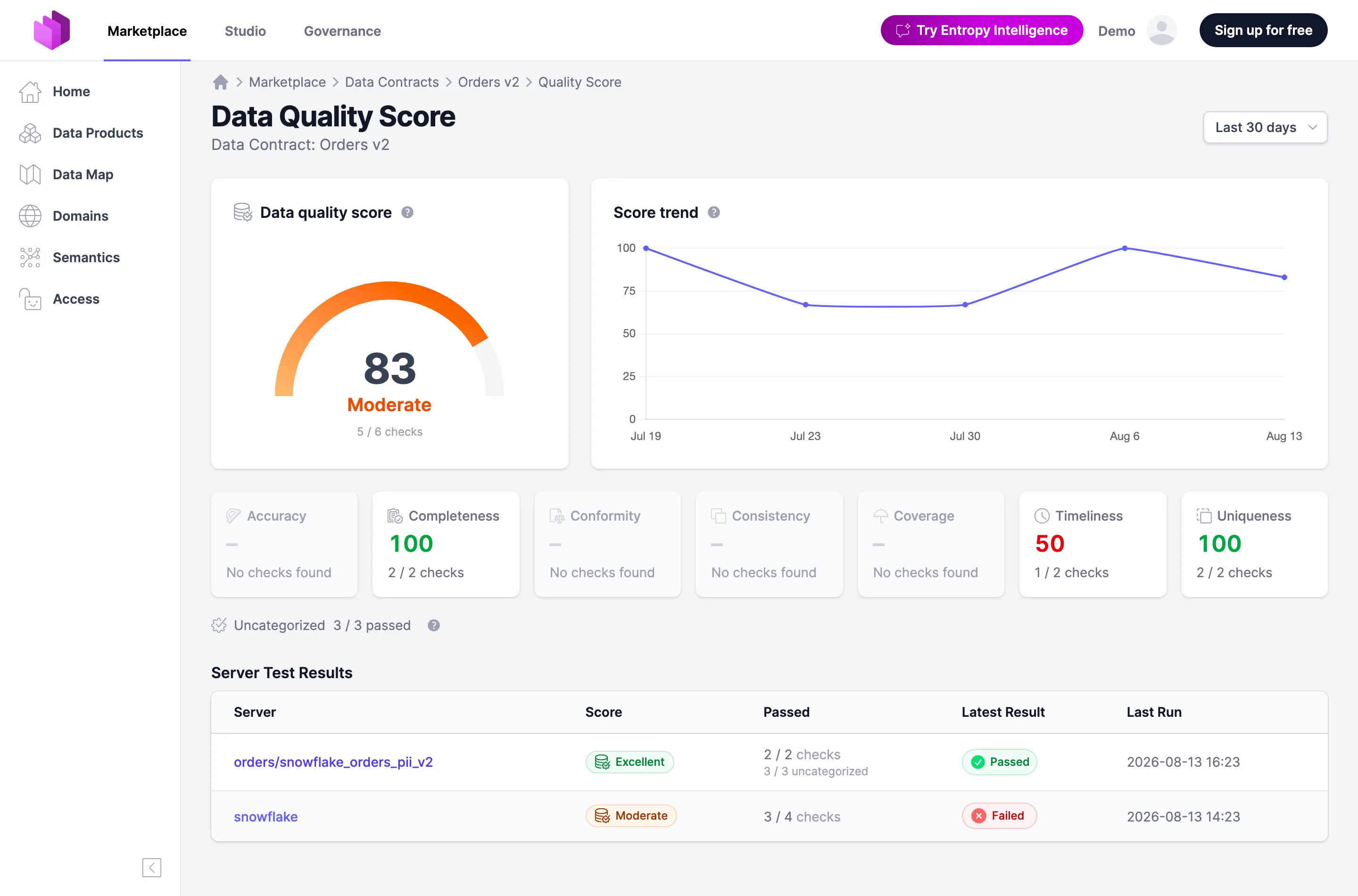
- The gauge — the score as of now, its band, and the checks behind it.
- The trend — the score values over time. Points indicate check runs. If there is no check run, the last known value is carried forward.
- The dimension tiles — all seven dimensions. Click one to narrow the gauge and the trend to it; click it again to clear the filter.
- A drill-down — for an organization, domain, team, or data product: its data contracts, worst score first (at most the 20 lowest; the table says so when there are more). For a single data contract: its servers, each linking to that server's check results.
- A time range — 7 days, 30 days (the default), 90 days, year to date, 1 year, or all time. It bounds the trend, not the gauge; all time starts at the earliest check run of the scope.
The page exists for these scopes:
| Scope | Reached from |
|---|---|
| Organization | Governance → Data Quality in the sidebar |
| Domain, Team | the badge on the domain or team page |
| Data Product | the badge on the data product page |
| Data Contract | the badge on the data contract page, or a row of the contract drill-down |
The same gauge, trend, and dimension tiles also sit on top of a contract's check results page. There the tiles filter the list of checks below them, so you can go from "timeliness is at 50" to the two checks that say so.
Badges
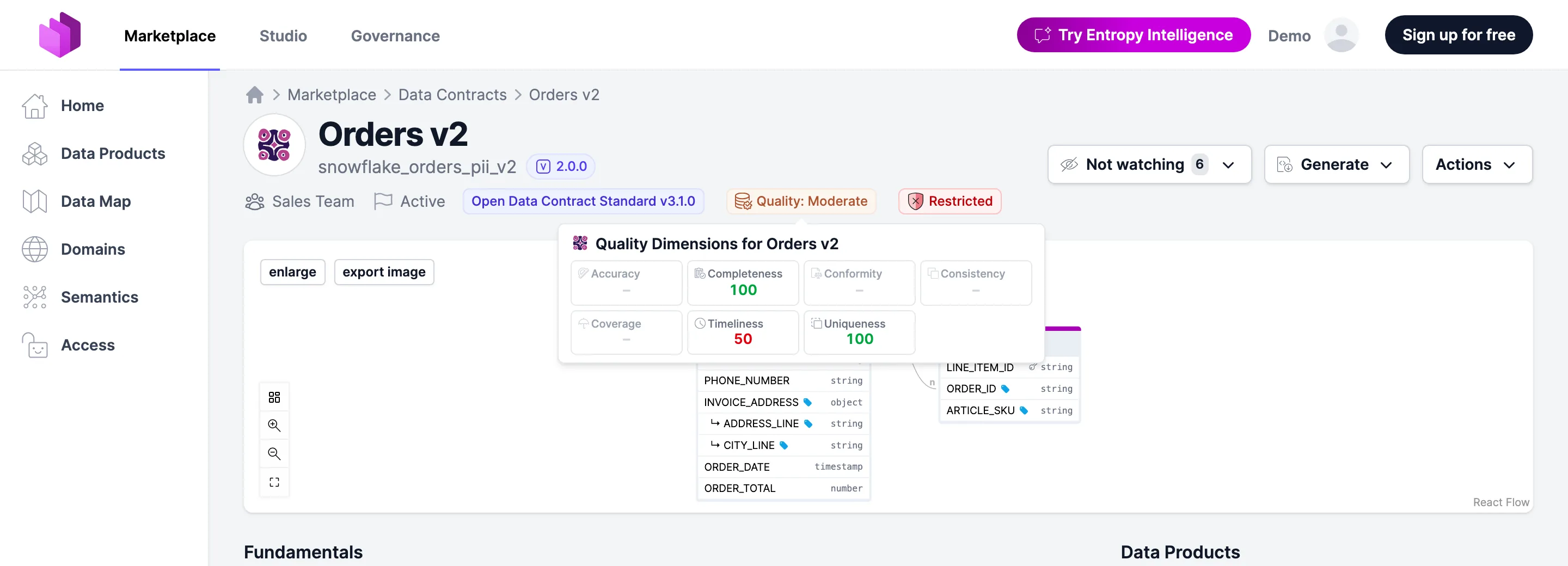
Wherever an entity has a score, it wears a badge next to its title — on data contracts, data products, teams, domains, and on the output port cards of a data product. Hovering it shows the dimension breakdown behind the score, and clicking it opens the score page.