
Create a Data Product from an Asset
If the data already exists in a connected platform, import it: Entropy Data creates the data product, an output port, and a draft data contract from the asset's structure. This is the fastest way to your first data product.
1. Start the import
In Studio → Data Products, open the Add Data Product menu and choose Import from Asset or Import from [platform] (Databricks, Snowflake, Purview, …).
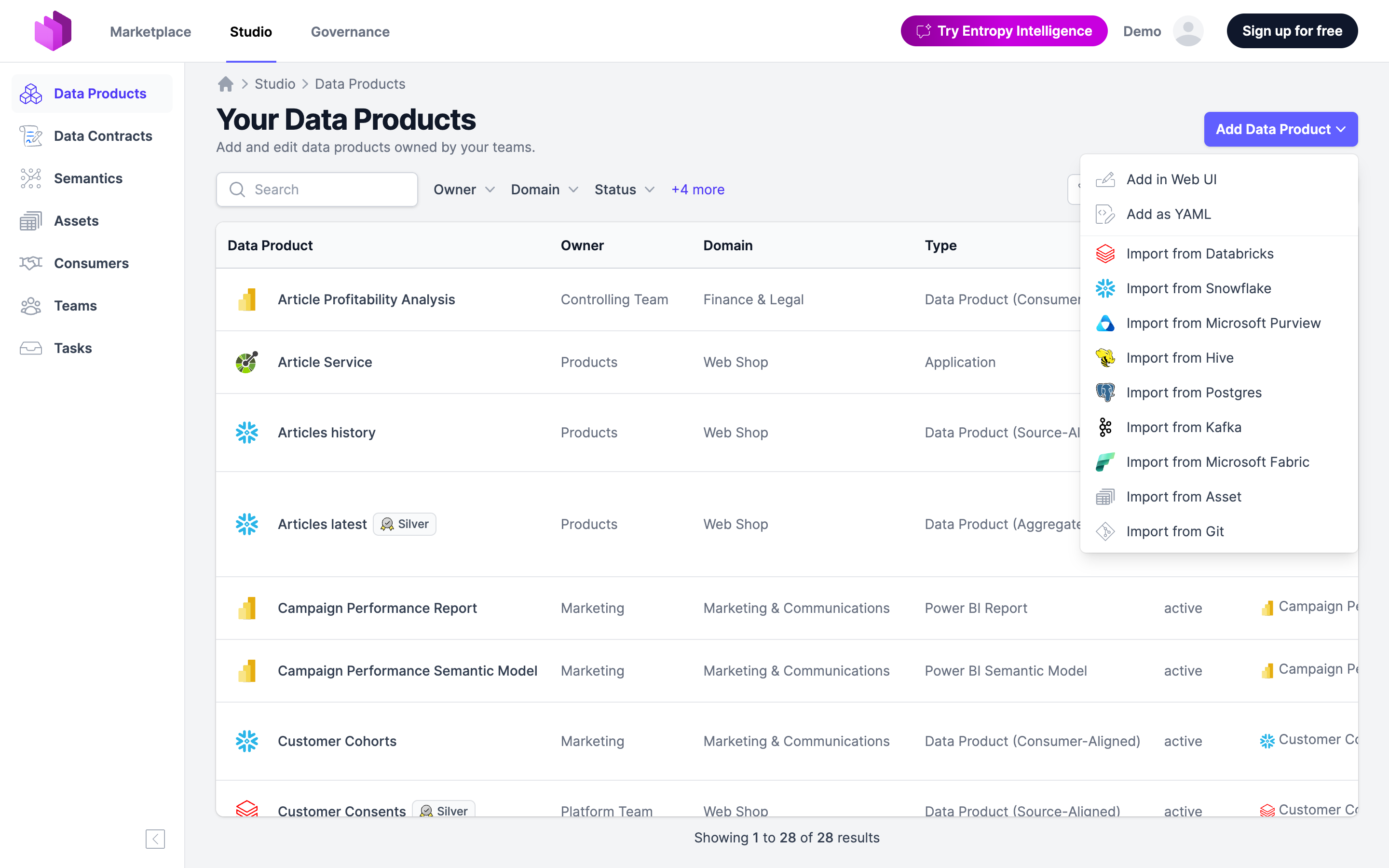
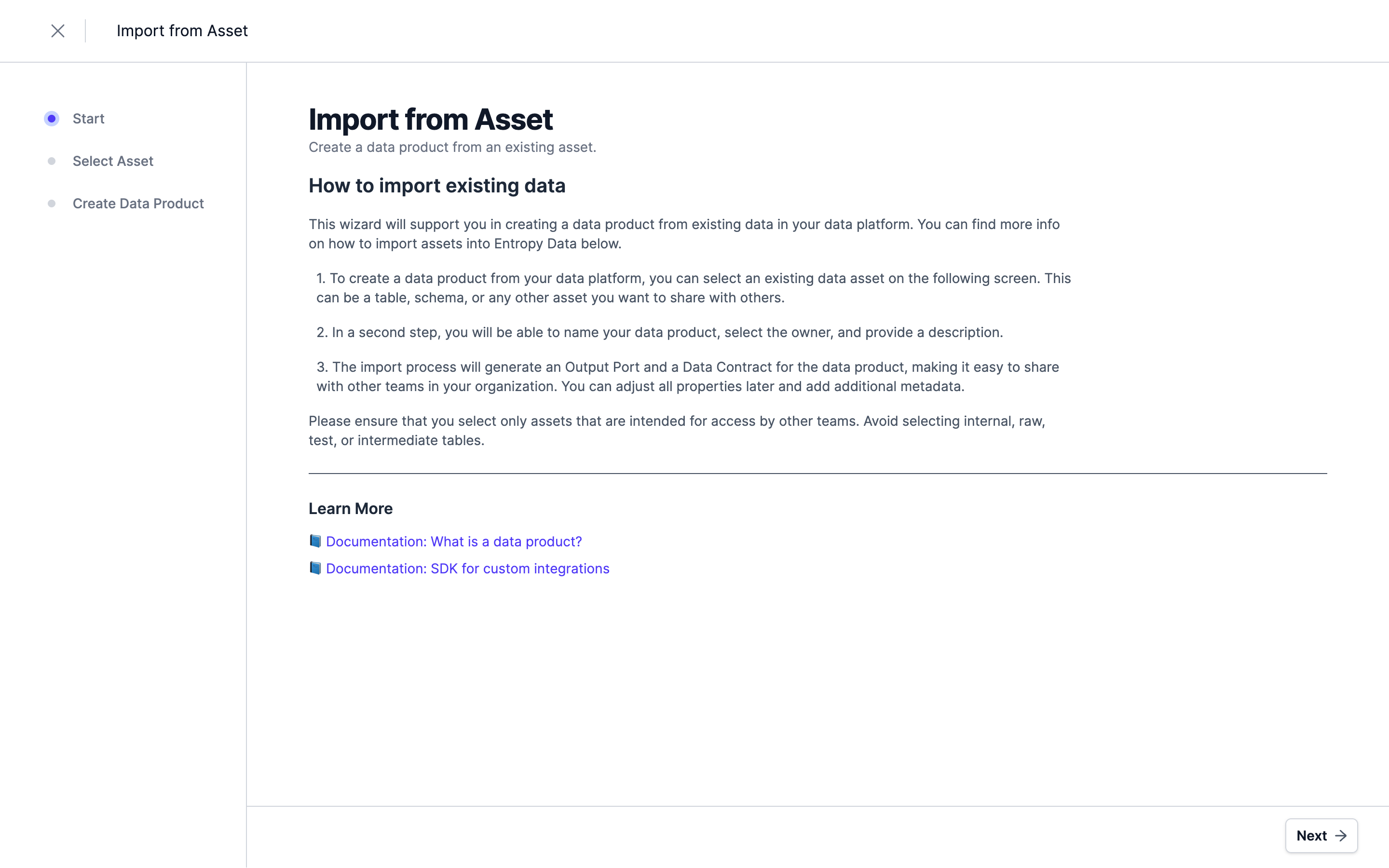
A wizard opens with a short introduction. Click Next.
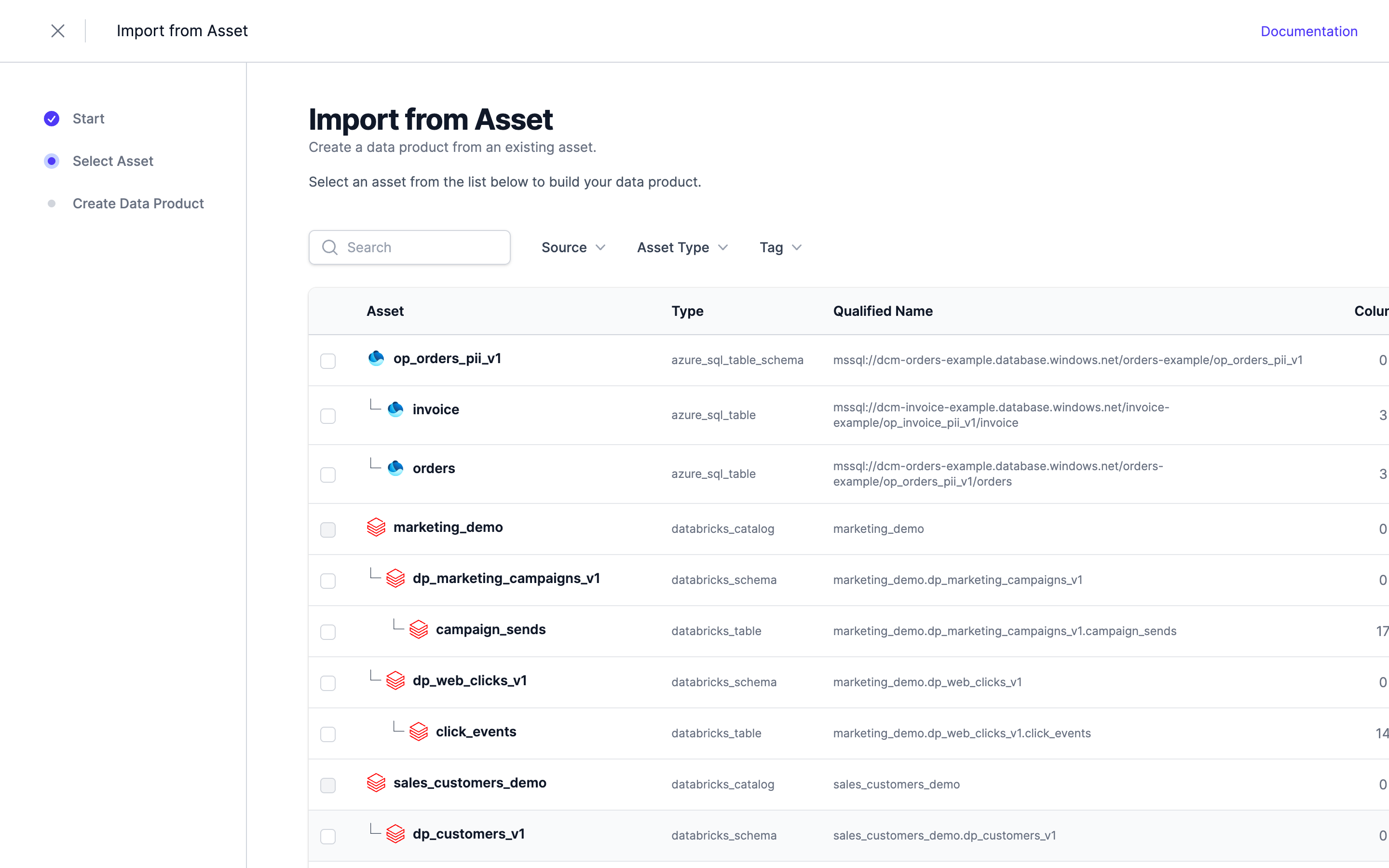
2. Select the asset
Choose the asset you want to expose as a data product.
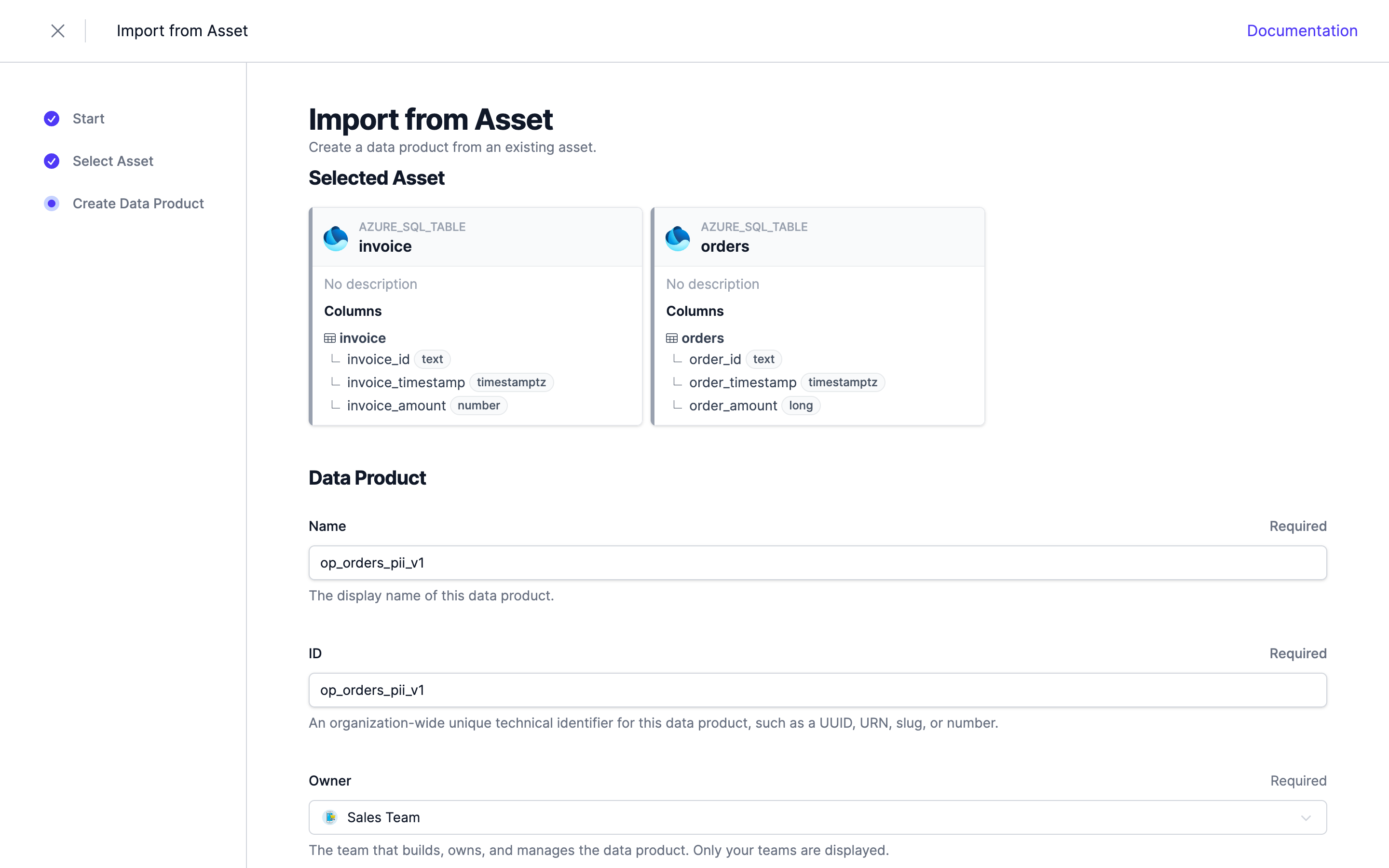
3. Name the data product
You see the selected asset and its columns, plus a Data Product form. Fill in:
- Name (required) — the display name.
- ID (required) — a stable technical identifier; it can't be changed later.
- Owner (required) — the owning team. Pick one of your teams (the form won't let you import without it).
- Description — optional.
Adjust Name and ID here if the defaults derived from the asset aren't what you want, then click Import Data Product.
Entropy Data then creates:
- the data product,
- an output port linked to the asset, and
- a data contract with a model derived from the asset's columns and relationships.
The output port and data contract are generated automatically (named after the asset) — you refine them in the next step, not in the wizard.
4. Refine the result
The generated data contract reflects the technical shape of the data. Edit it to add descriptions, semantics, and quality rules so consumers can trust it. If the asset is a schema, the contract may contain multiple models — remove any you don't want to expose.