
Access Provisioning
Approving an access says the consumer should have access — it does not create the grant in the data platform. That work happens outside Entropy Data, in a component you run. Provisioning is where the outcome is recorded, so an access carries both facts: the agreement, and whether the permission behind it actually exists.
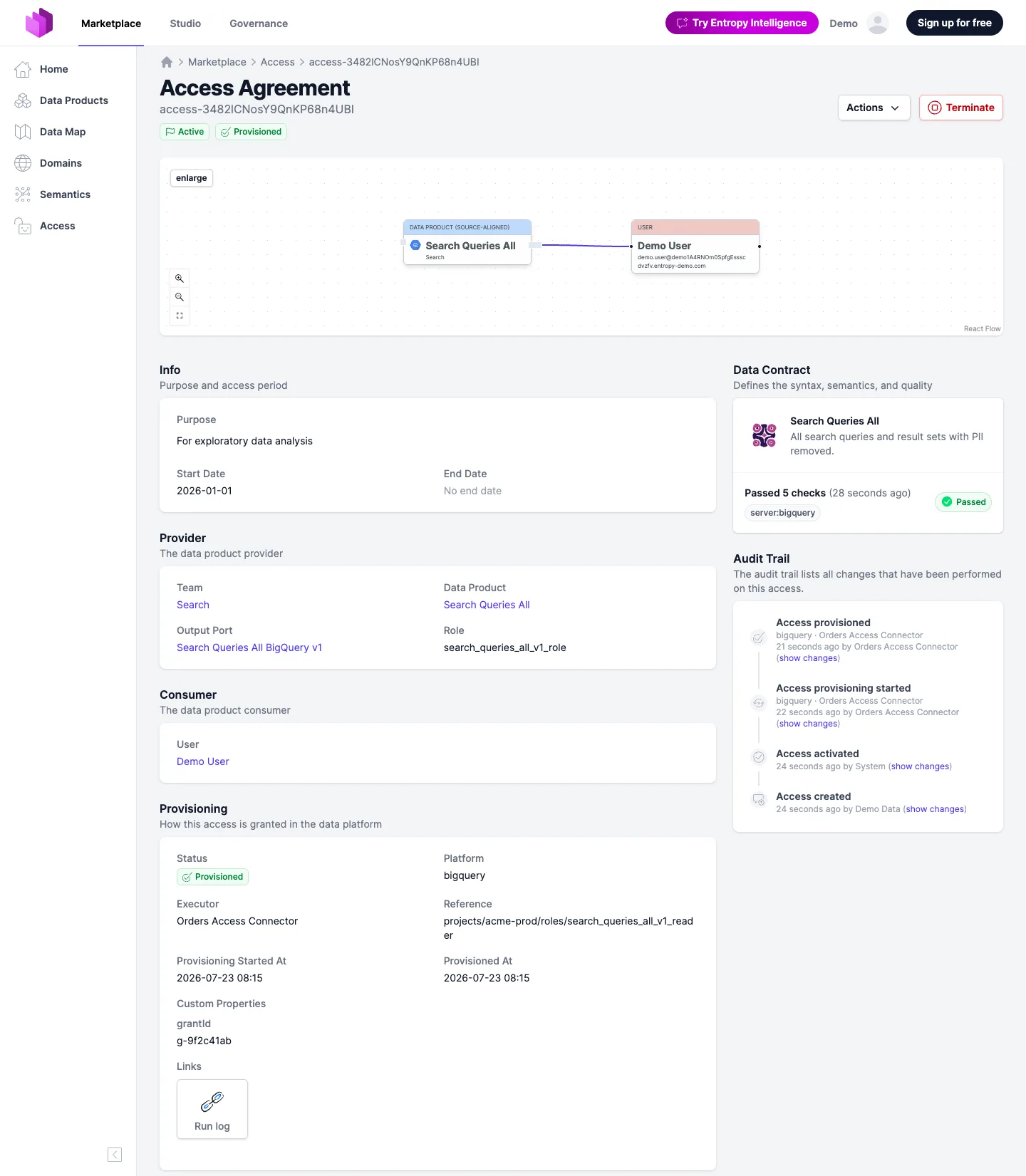
Who reports it
Provisioning is reported by a component you run — a connector or your own automation — that acts on the event feed. The pattern:
- It subscribes to the feed and receives an
AccessActivatedEventwhen an access becomes active, and anAccessDeactivatedEventwhen it ends. - On activation it creates the grant in the data platform (a role, a group, an ACL); on deactivation it removes it.
- It reports the outcome through the endpoints below, so Entropy Data — and the consumer and provider — can see whether the grant actually exists.
For Databricks, the access writer does this within Entropy Data, with nothing to deploy. Entropy Data's Databricks, Snowflake, and BigQuery connectors do exactly this out of the box; the SDK lets you build the same for any platform. Two rules keep it robust: report only for the access agreements whose output port your component owns (several connectors may share one feed), and treat every transition as idempotent — an event may be delivered more than once, and the latest report always wins.
Reporting a transition
Six endpoints, one per outcome, in two directions. The body is optional on all of them.
POST /api/access/{id}/provisioning/provisioning-started
POST /api/access/{id}/provisioning/provisioning-succeeded
POST /api/access/{id}/provisioning/provisioning-failed
POST /api/access/{id}/provisioning/deprovisioning-started
POST /api/access/{id}/provisioning/deprovisioning-succeeded
POST /api/access/{id}/provisioning/deprovisioning-failed
Each carries only what is meaningful for it: a start carries context, a success carries the
reference identifying the grant, a failure carries diagnostics explaining what went wrong.
Report that the grant now exists
curl -X POST 'https://api.entropy-data.com/api/access/orders-analytics/provisioning/provisioning-succeeded' \
  -H 'x-api-key: <your-api-key>' \
  -H 'Content-Type: application/json' \
  -d '{
    "platform": "bigquery",
    "executor": "Orders Access Connector",
    "reference": "projects/acme-prod/roles/orders_analytics_reader",
    "customProperties": [
      { "property": "grantId", "value": "g-9f2c41ab" }
    ],
    "links": { "Run log": "https://connector.example.com/runs/8412" }
  }'
Fields you leave out keep their previous value, so a component need not resend unchanged context on every call.
No transition is ever rejected as illegal. Your component owns this state, so any transition is accepted from any state and the latest report wins — retries, restarts and re-grants after a renewal need no special handling.
Reading the state
GET /api/access/{id}/provisioning returns the current record, and the access resource itself
carries the same object read-only, so one call gets you both:
GET /api/access/{id}
{
  "id": "orders-analytics",
  "info": { "status": "approved", "active": true },
  "provisioning": {
    "status": "provisioned",
    "platform": "bigquery",
    "executor": "Orders Access Connector",
    "reference": "projects/acme-prod/roles/orders_analytics_reader",
    "provisionedAt": "2023-01-01T09:15:20.705Z",
    "note": "Granted through the platform console"
  }
}
Reconciling instead of reporting
If your component works out the truth by inspecting the platform rather than by following its own
steps, PUT /api/access/{id}/provisioning replaces the whole record in one call. Unlike the
transition endpoints, fields absent from the payload are cleared.
The reference connector for Databricks
The Databricks connector is the reference
implementation of a provisioning component. It is open source, runs as a container in your network,
and reacts to AccessActivatedEvent and AccessDeactivatedEvent from the events
endpoint. For every access it creates one Databricks account group named after the access and
grants that group access to the schema of the output port:
| Consumer of the access | Group created | Member of the group |
|---|---|---|
| A user | access-<access id> | the user |
| A team | access-<access id> | the group team-<team id>, which holds the team's members |
| A data product | access-<access id> | a service principal dataproduct-<data product id> |
The grants are USE CATALOG on the catalog and USE SCHEMA and SELECT on the schema named by
the output port's server. They name the group only, never a person, so a membership change in
your identity provider (see SCIM) takes effect without touching the access. On
deactivation the group is removed and with it every grant.
Finer control is a customization of the connector:
mapping the roles of the contract to different privileges or tables,
column masks, row filters, attribute-based policies, or tag propagation. The connector sees the
access with the role the consumer chose and the contract with its
classifications, which is the input such a customization needs. A
common pattern that needs no customization is to keep masks and row filters in Unity Catalog and
key them on the access-<access id> groups, so that approval and termination in Entropy Data
switch them on and off.
Recording it without a component
Not every access is provisioned by an automation. When the grant is created some other way — through a platform console, an existing internal process — someone with edit permission on the access can record the state directly in the web UI, from the Actions menu on the access page. It captures the same facts the API does and has no side effects: nothing is sent to the platform, and no notifications go out — unless provisioning grants access in your organization, in which case marking an access as provisioned is the moment the consumer gets the data, and they are notified like they would be by a component.
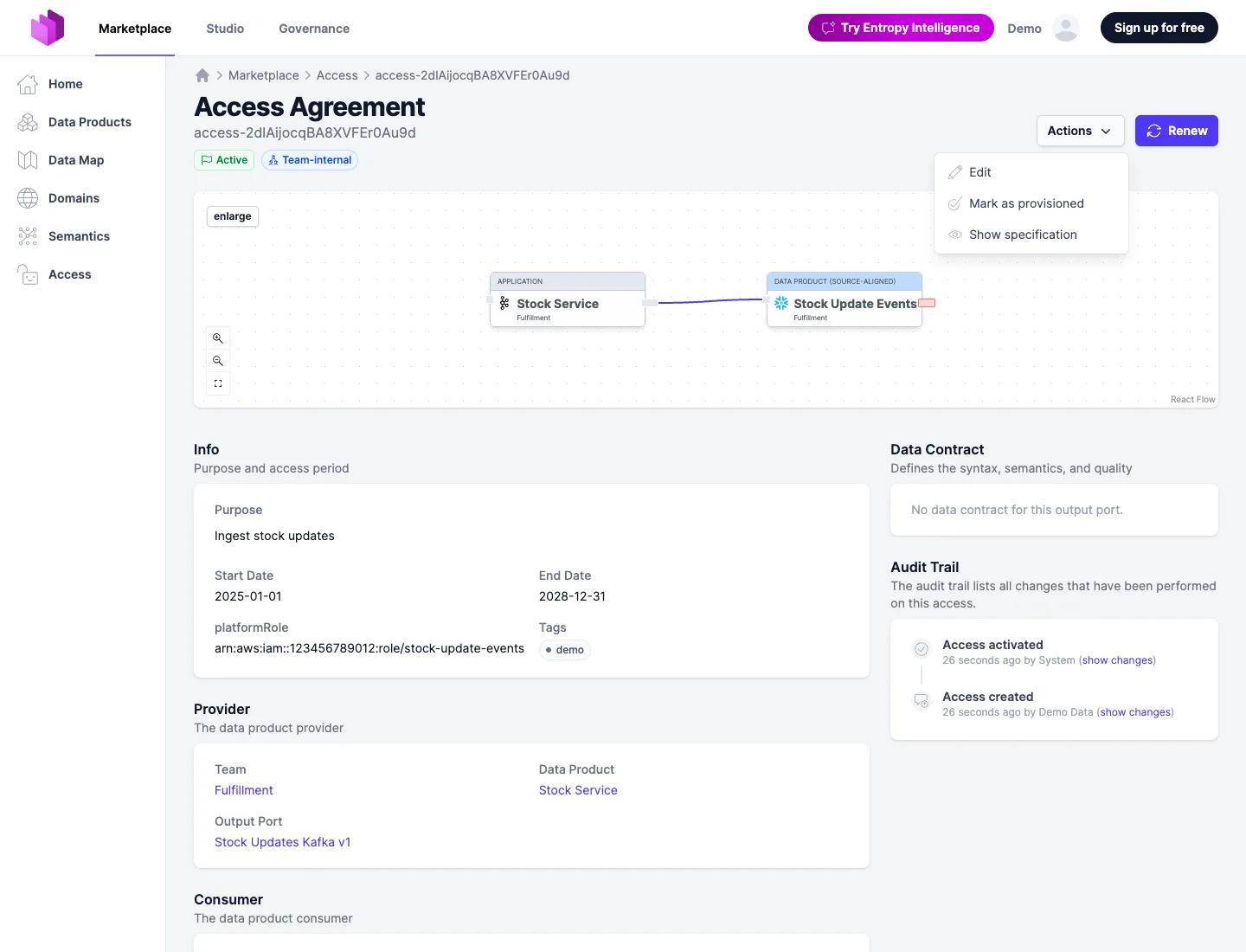
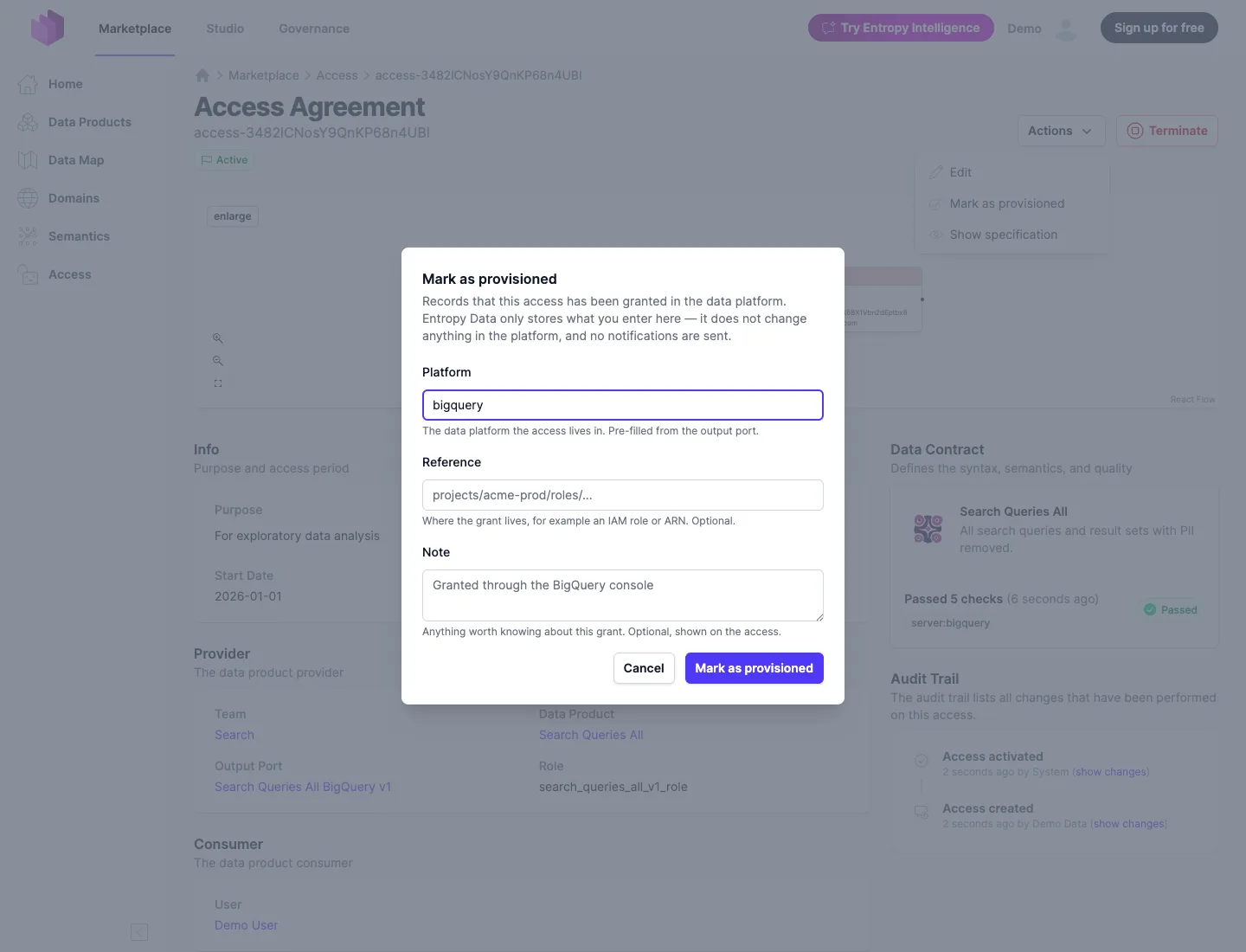
Both paths write to the same record, so the principal on the resulting event distinguishes them:
api-key:... for a component, user:... for a person.
Letting provisioning grant access
By default provisioning is informational: an approved, active access counts as access, the consumer sees You have access, and the Open in button appears, whether or not a grant was ever reported. That is the right default while no component reports for your platforms.
Once every output port's grants are reported back, an organization owner can switch the Access Provisioning setting, under Governance & Workflows in the organization settings, to Provisioning grants access. From then on an approval alone no longer counts as access:
- The access is listed as Provisioning pending — on the data product, in the access lists, and
on the access page — until a
provisioning-succeededreport arrives. A failed provisioning shows the same pending state to the consumer; the failure itself goes to the providing team. - Open in stays hidden, and the open-in endpoints refuse, until the grant exists. There is nothing to open before that.
- Symmetrically, an access that has ended is listed as Deprovisioning pending while its grant
is still reported to exist, until a
deprovisioning-succeededreport arrives or someone marks it as deprovisioned. It is not usable in that state; it only shows that the teardown in the data platform has not been confirmed yet. - Accesses that are already active at the moment you switch are recorded as provisioned, with a note saying so, so nobody loses access. Only approvals after the switch wait for a report.
- The lifecycle in the API stays what it was:
info.statusandinfo.activedescribe the agreement, and the read-onlyprovisioningobject describes the grant. A client that needs the consumer's view combines the two, as the web UI does. The grant counts as existing whenprovisioning.statusisprovisioned,deprovisioning, ordeprovisioning-failed:- Provisioning pending:
info.activeistrueand the grant does not exist. - Deprovisioning pending:
info.statusisapproved,info.activeisfalse,info.startDatehas been reached, and the grant exists.
- Provisioning pending:
The setting is also part of the organization's feature configuration as
accessProvisioningPolicy (required, or omitted for the default).
Choose this only if every output port in your organization is covered by a connector or a person who reports provisioning. Without a report, an access under this setting stays pending forever, and an ended access stays Deprovisioning pending.
A terminal state reported by a component notifies by email: success reaches the consumer, failure reaches the providing team. Progress reports notify nobody, and neither does anything recorded in the web UI unless provisioning grants access.
API reference
See the usage examples for how to call the provisioning endpoints, and the OpenAPI specification for the formal definitions.